PURPOSE
The purpose of this module is to
ENTERPRISE DEFINITION
Network of Excellence is a Independent tool, and requires no additional enterprise definition, except Employees “Add Employees”
CAPTURE
Data Capture >> Innovation Capital >> Network of Excellence
The page shown in Figure 50: Network of Excellence shows all the contacts of various types in a table along with the captured details for each NOE entity.
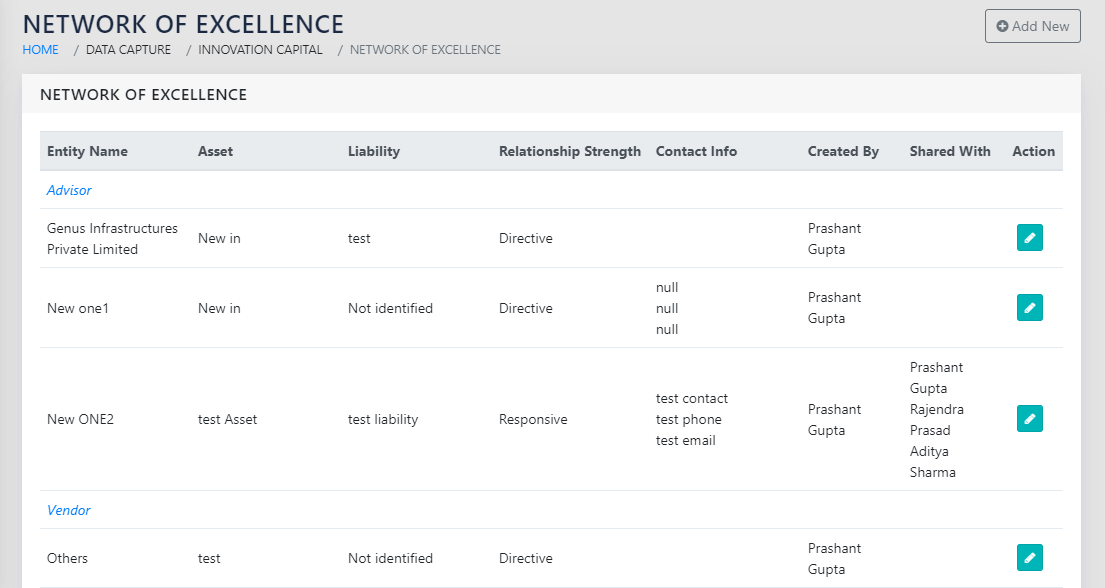
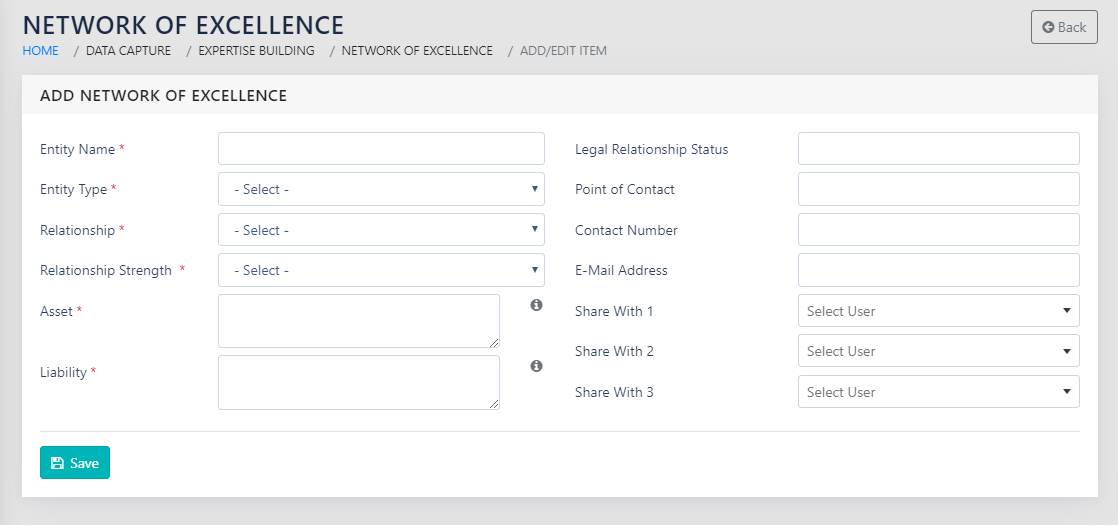
On editing an existing entity or adding a new entity, the page as shown in “Figure 51: Add a new Entity to the Network” Opens. The Entities are split in five tables based on the Network Type
The following fields are available for each individual NOE entity
- Network Type- Dropdown- The network type can be selected from the options Advisors/Consultants/Partners/ Contractors/Vendors
- Entity Name- Free Text – the name of the entity that is to be added.
- Asset- Free Text – Specify how the said entity is an asset.
- Liability- Free Text – Specify what liabilities does this relationship entail
- Relationship Strength- Dropdown – Select from Directive/Pro-Active/Active/Reactive/responsive
- Share with (Up to 3)- Names of Employees- Since the NOE entities can sometimes be sensitive, up to 3 employees can be added for each NOE entity, who will have access to this entry. BU head/ Deputy Head and the Admins will always have access.
REPORTS
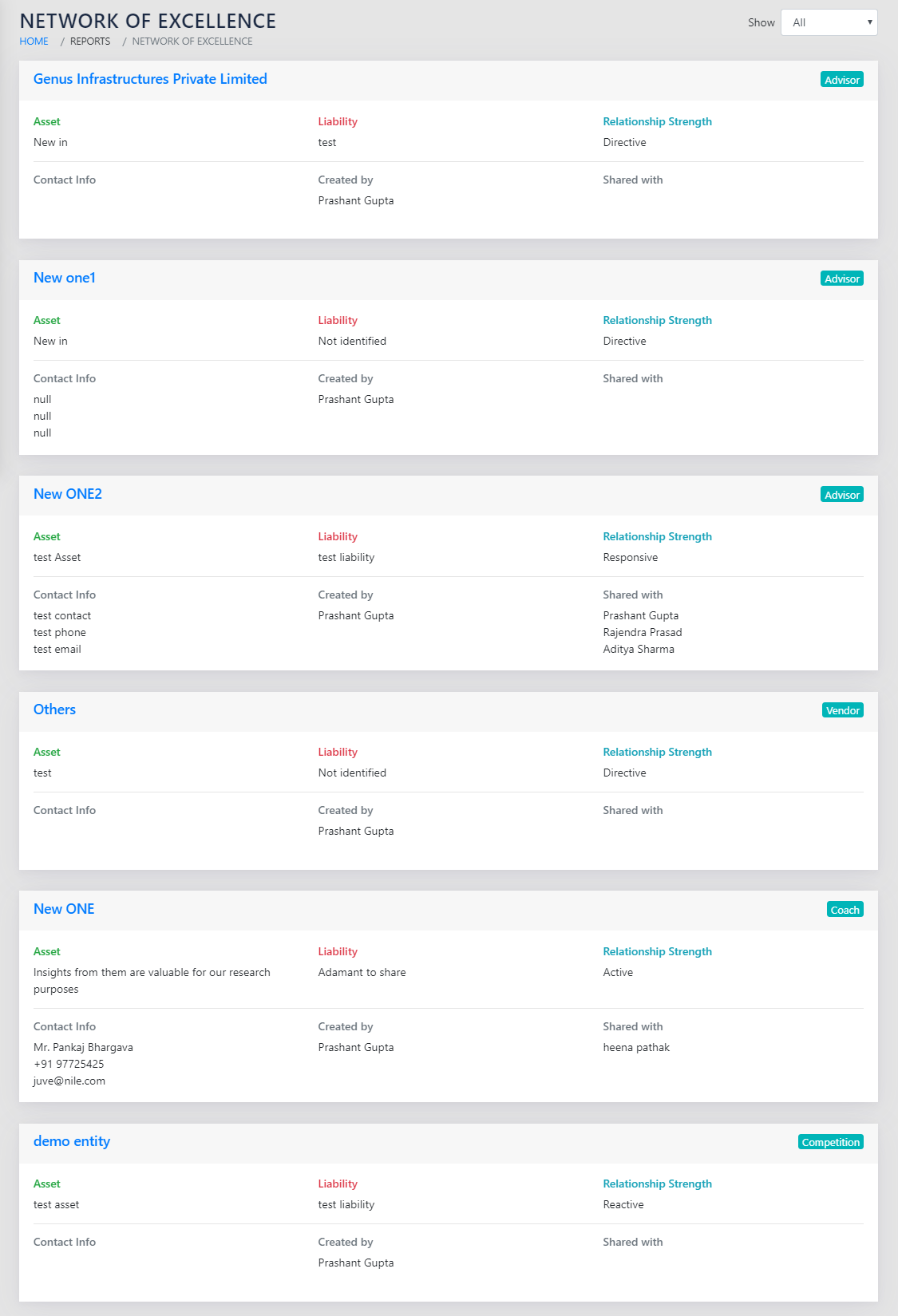
The NOE report in Figure 52: Network of Excellence Report is similar to the Landing page of the NOE capture in Figure 50: Network of Excellence.
ROLLS UP TO
The NOE rolls up to the Strategic Roadmap and is linked to the strategic initiatives