PURPOSE
Individual Development is an optional, but useful, tool for employees to plan their career growth.
ENTERPRISE DEFINITION
Employees.
CAPTURE
Navigation:
Data Capture >> Innovation Capital >> Individual Development Plan
The pages shown in Figure 76: IDP- Employee Growth Drivers- Section and Figure 77: IDP, Organisational Growth Drivers Section constitute the landing pages of a typical IDP of an employee. You can access and edit your own IDP and the IDPs of your direct Reports.
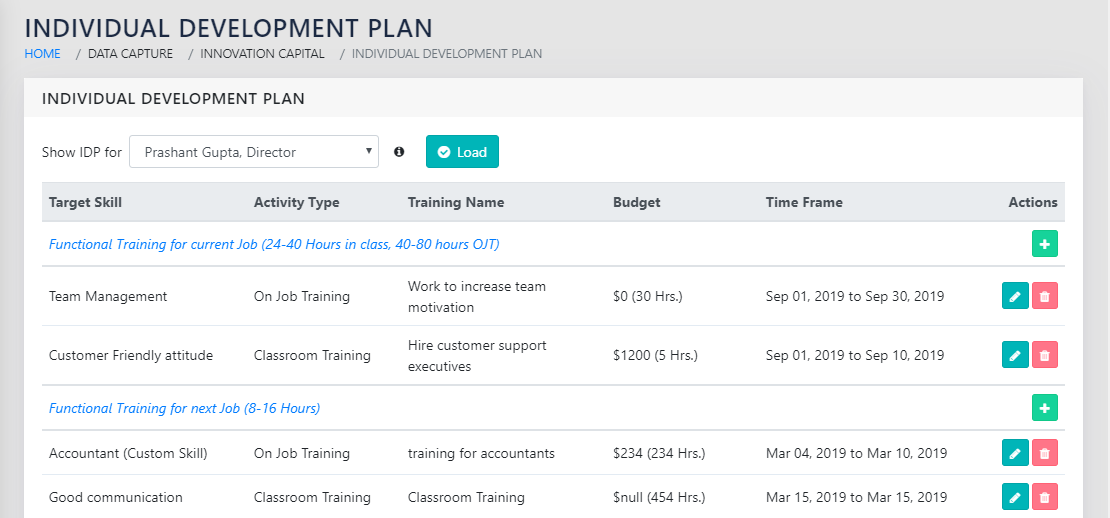
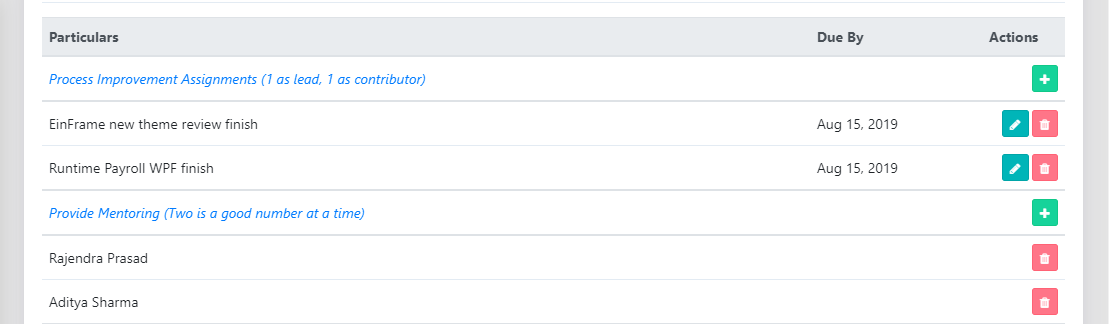
A typical complete IDP has fields, each of which can have multiple components. These can be added using the icon in the right column of the right side of the page. Existing components within a field can be edited using the icon and removed using the icon.
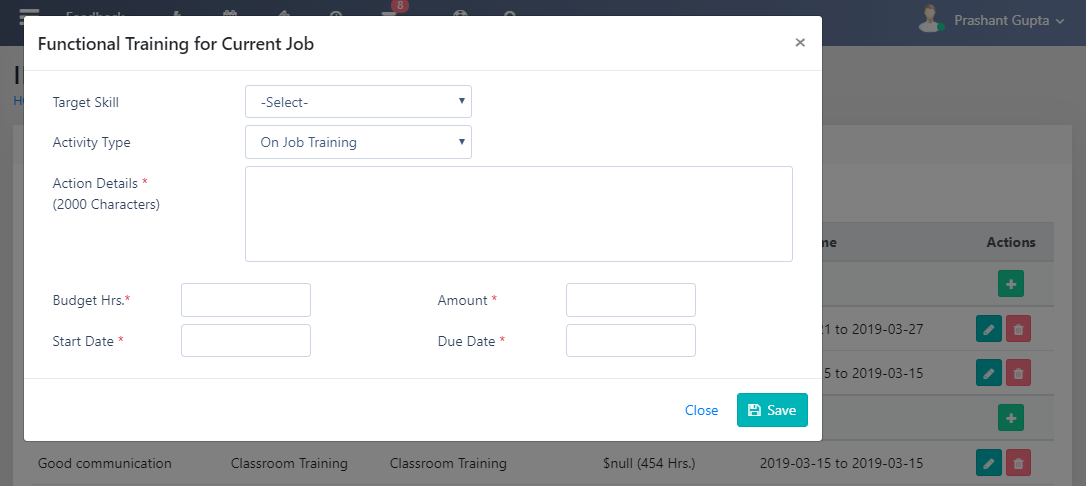
Functional Trainings required for the current job can be added using the form shown in Figure 78: Functional Training Required for the Current Job. The Target skill be chosen from the Talent Framework (Talent Maps and Gaps>Enterprise Definition), or added ad-hoc by selecting Custom Skill at the bottom of the list.
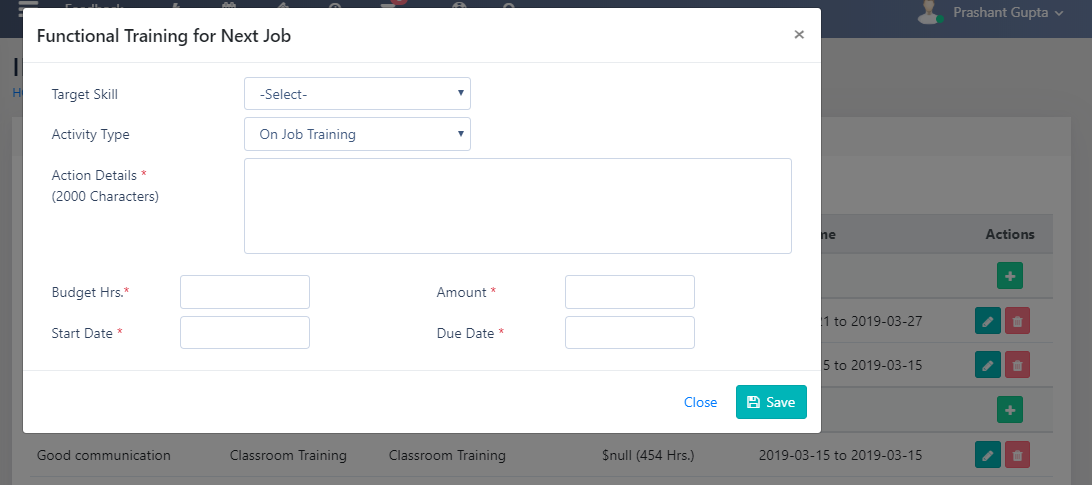
Functional Trainings required for the Next job can be added using the form shown in Figure 79: Functional Training Required for the Next Desired Job. The Target skill be chosen from the Talent Framework (Talent Maps and Gaps>Enterpirse Definition), or added ad-hoc by selecting Custom Skill at the bottom of the list.
Soft Skills Trainings required for the Next job can be added using the form shown in Figure 80: Soft Skills Training Required for the Next Desired Job. The Target skill be chosen from the Talent Framework (Talent Maps and Gaps>Enterpirse Definition), or added ad-hoc by selecting Custom Skill at the bottom of the list.
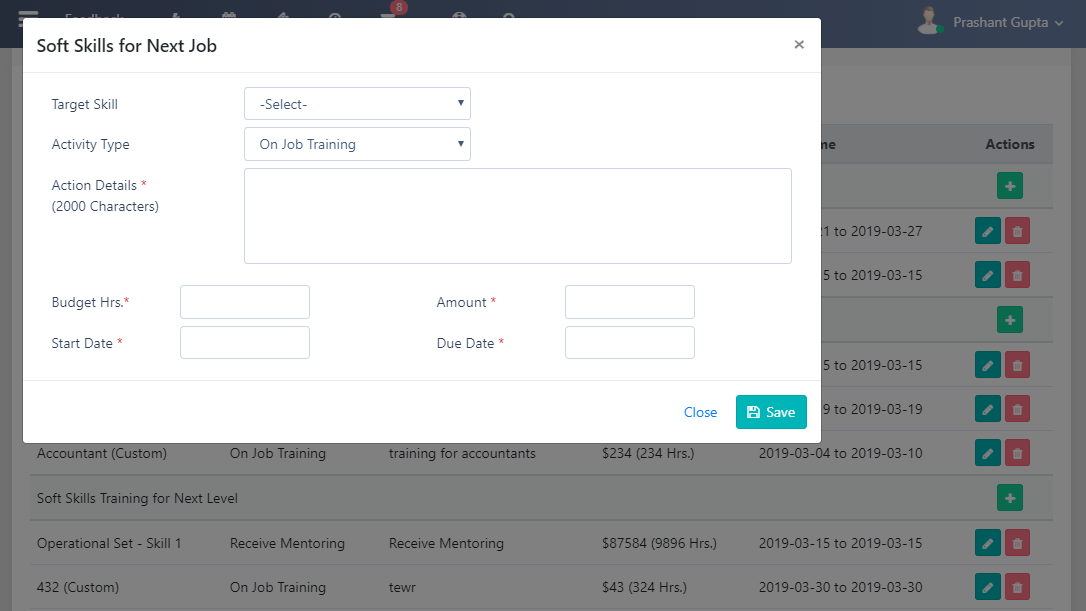
Process improvement assignments, shown in Figure 81: Process Improvement Assignments, can be added to the IDP. It is recommended to have at least 2 process improvement assignments at any given pint of time in every employee’s IDP. This is linked to the Processes module in principle.
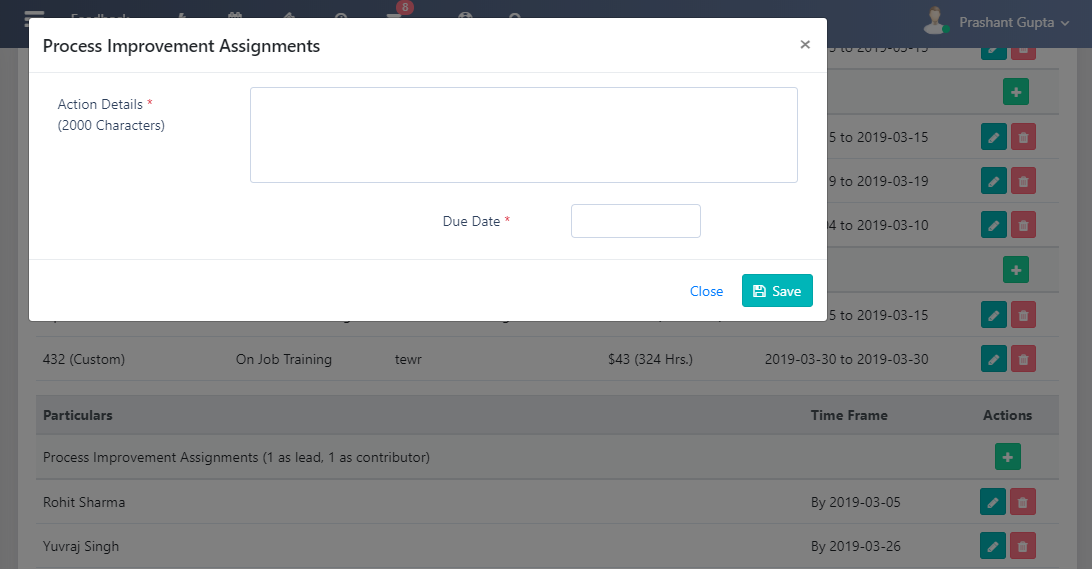
An employee can choose to mentor one or more employees from the organisation to mentor. These can be added using the dialog Figure 82: Provide mentoring.
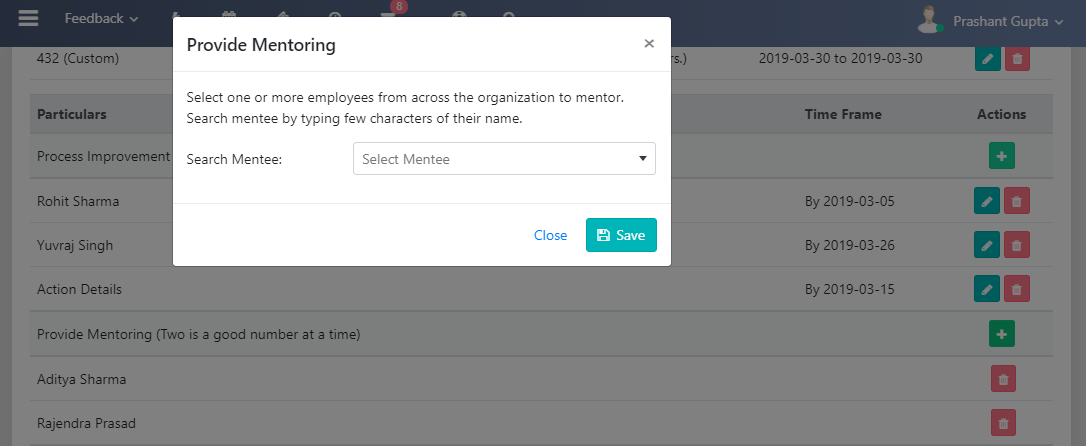
Books related to all the fields and skill sets identified above should be planned to be read by the employee. These can be added to the IDP using the page shown in Figure 83: Add books related to each of the above fields.
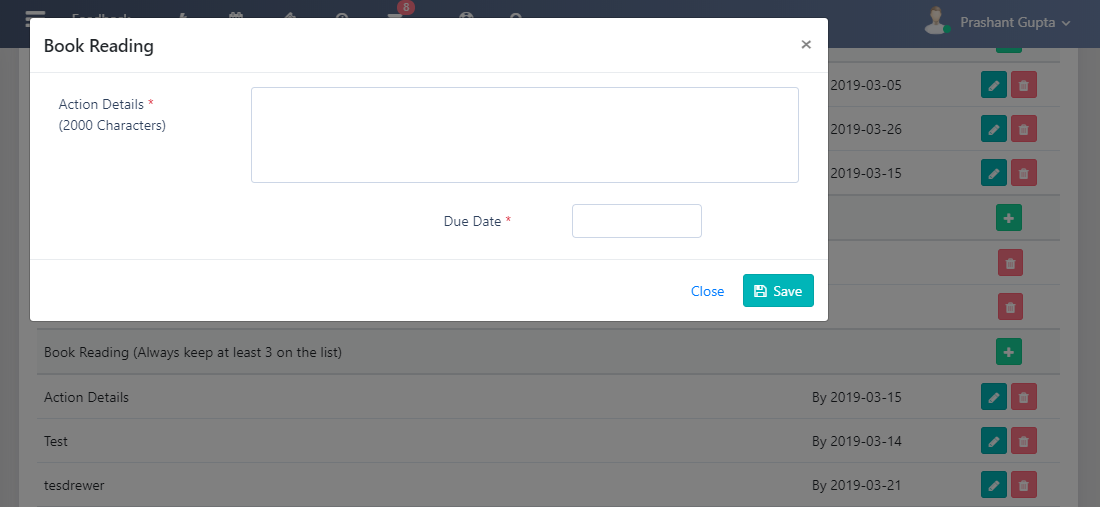
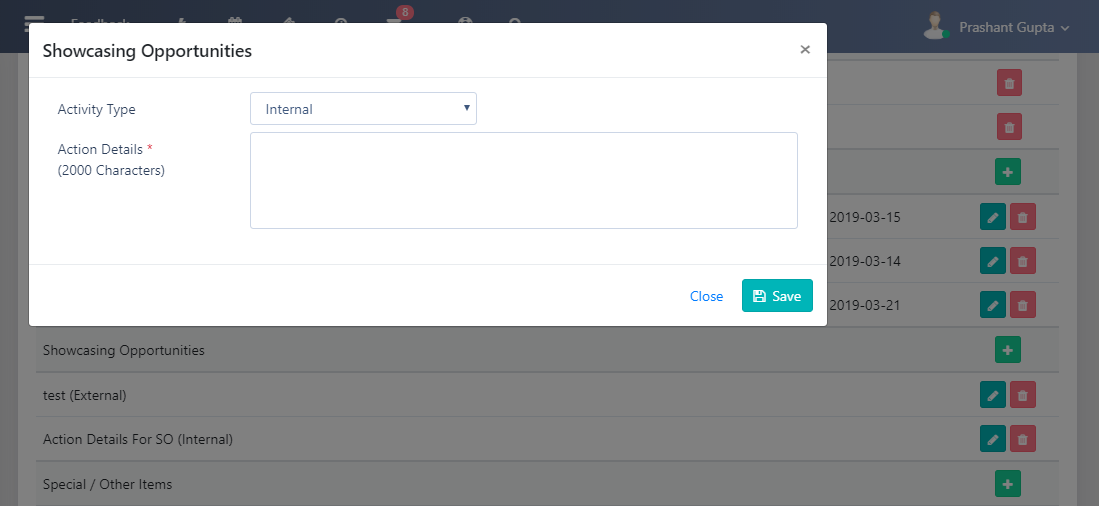
An employee must seek out showcasing opportunities related to the skills that they acquire. These can either be external showcasing opportunities or internal showcasing opportunities. These can be added to the IDP using the page shown in Figure 84: Showcasing Opportunities
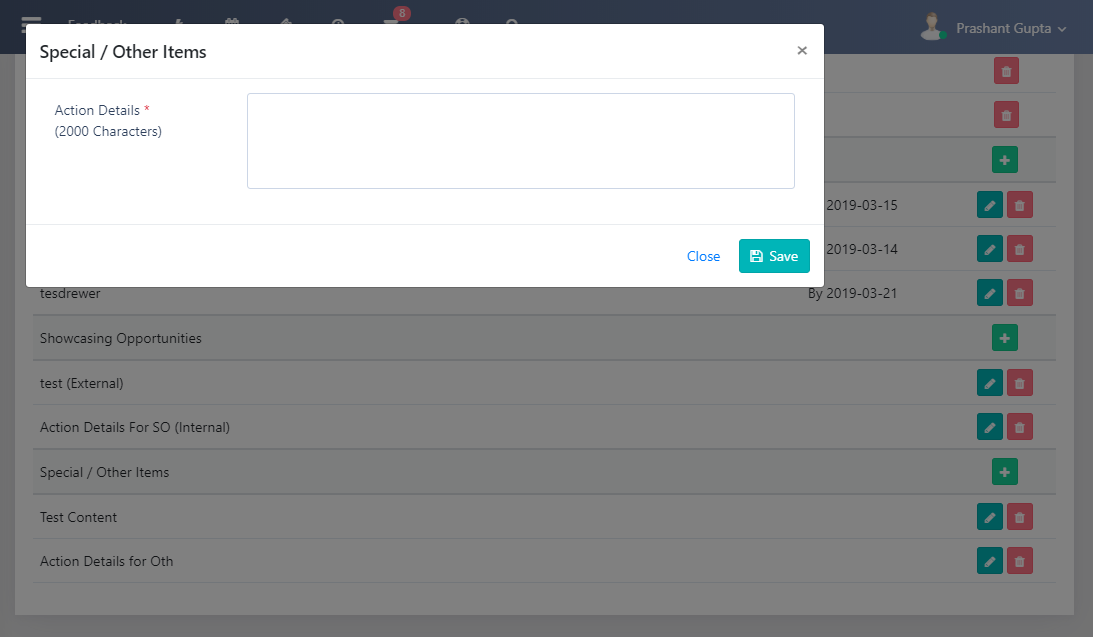
Any other items that the employee feels have a place in the IDP can be entered using Figure 85: Special/ Other Items.
A key feature is that all the components described above would trigger adding action items for the employee, so that they can be tracked to closure. These can be accessed in the Action Items report, and would trigger Email Alerts if E-Mail Settings and the email address in the Add Employees are correctly configured.
REPORTS
Navigation:
Data Capture >> Innovation Capital >> Individual Development Plan
The page shown in Figure 76: IDP- Employee Growth Drivers- Section and Figure 77: IDP, Organisational Growth Drivers Section works as the report for the IDP of an employee or their direct reports.
SPECIAL FEATURES
A key feature is that all the components described above would trigger adding action items for the employee, so that they can be tracked to closure. These can be accessed in the Action Items report, and would trigger Email Alerts if E-Mail Settings and the email address in the Add Employees are correctly configured.
ROLLS UP TO
This is connected to the Talent Map in principle. The user must update the talent map as soon as the same is achieved.
OTHER LINKS
Whether or not a user has an updated IDP can be seen at a glance from the Maturity compliance Dashboard.