PURPOSE
The purpopse of this module is to be able to identify and evaluate business strategies for multifold growth in a given time duration, and compare the same to each other.
ENTERPRISE DEFINITION
None.
CAPTURE
Navigation:
Data Capture >> Strategic Roadmap >> Growth Strategy
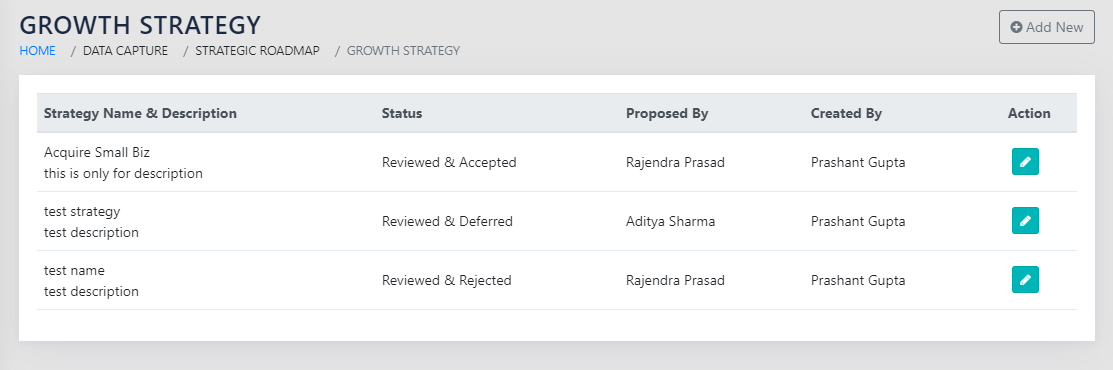
On navigating to the page shown in Figure 104: Identified Growth Strategies, the user sees all growth strategies identifies by them
On clicking the Add New button, the user sees the page as shown in Figure 105: Identify a new Growth Strategy.
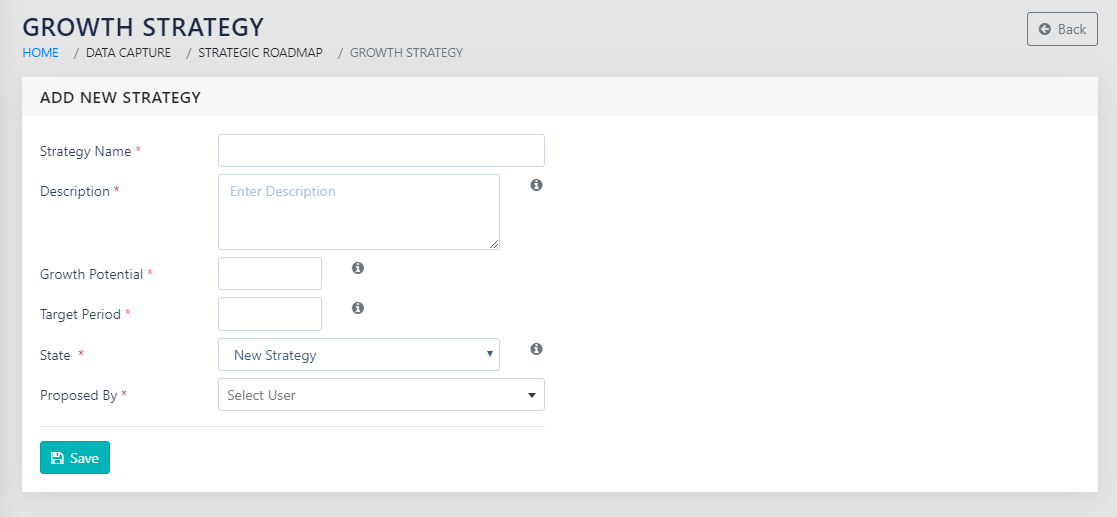
To define a new growth strategy, the user must enter:
- Strategy Name- a descriptive name for the strategy
- Description- brief description of the strategy
- Growth Potential- How many times is the business expected to grow?
- Target Period-In how many years would the growth potential be realised in?
- State – choose between “New Strategy”, “Reviewed and accepted”, “Reviewed and Deferred”, and “Reviewed and Rejected”
- Proposed By- click on the lens icon and select an employee name who proposed the concept. Click on Save button.
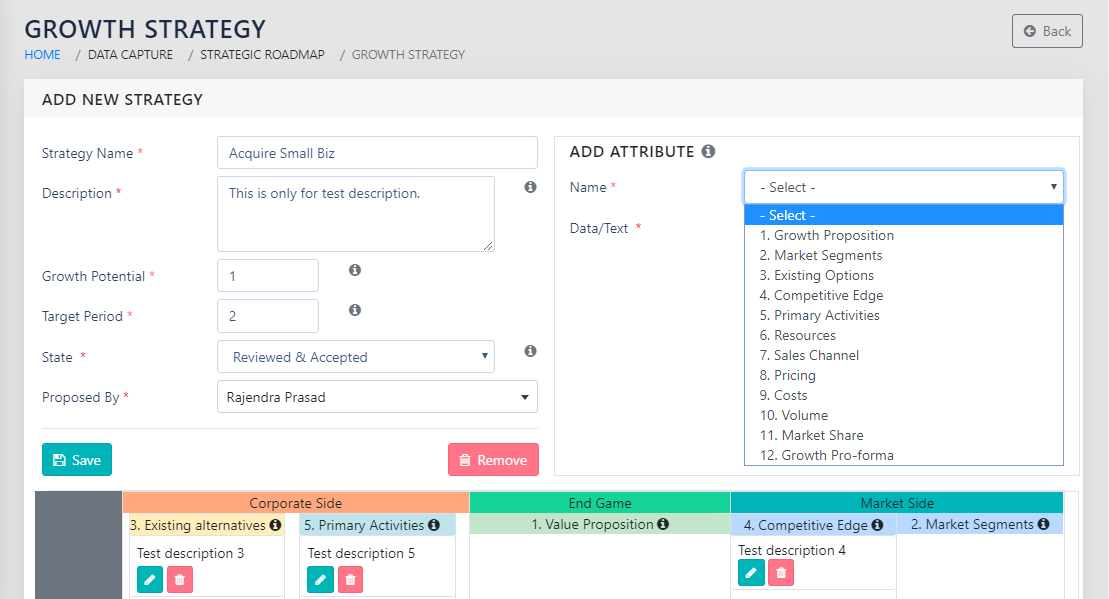
On clicking the Save button, the user sees the screen shown in Figure 106: Define a new Growth Strategy.
REPORTS
Navigation:
Strategy Wizard >> Growth Strategy
On navigating to the page shown in Figure 107: List of all Reviewed and Accepted Growth Strategies, the user sees all reviewed and accepted strategies in a table.
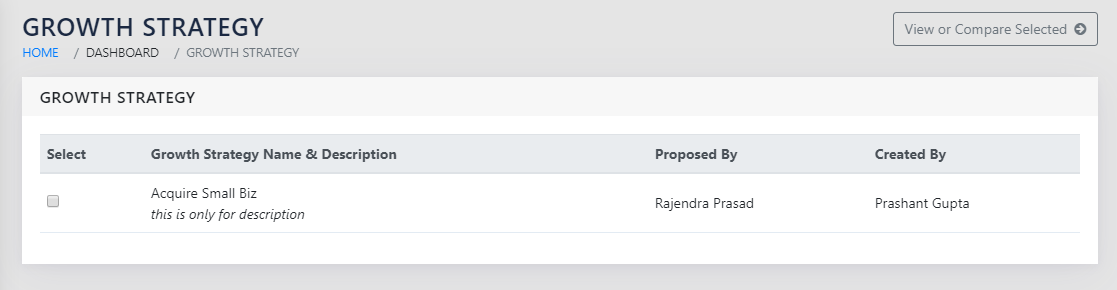
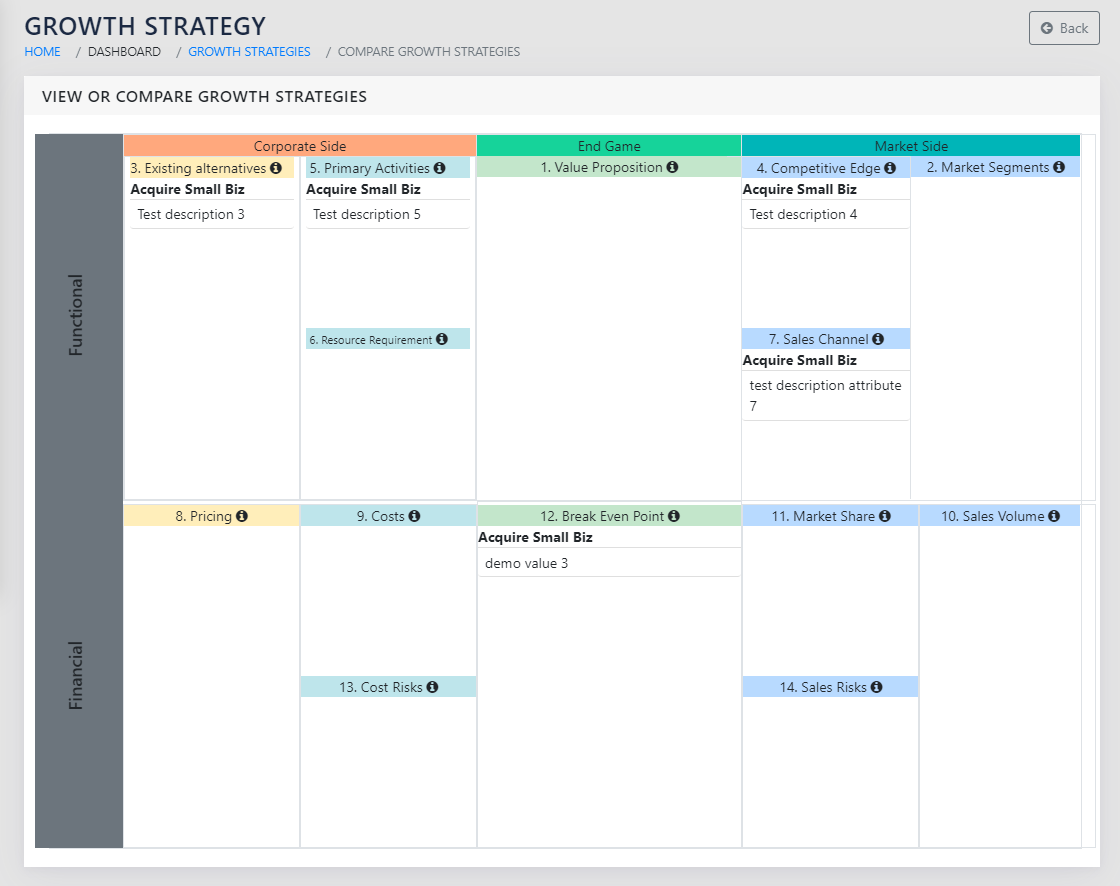
The user can select up to 3 strategies using the checkboxes in the name and click on View or Compare Selected . This opens the page shown in Figure 108: View or compare Growth Strategies. This contains all the values against all attributes captured against the selected strategies. This also shows the growth potential and the time period in the form of NxMy against each strategy.