PURPOSE
The purpose of Competitive analysis is to compare our products with the best the competitor has with regards to the product KPIs.
ENTERPRISE DEFINITION
PRODUCT DOMAINS
Navigation:
Enterprise Definition >> External >> Product Domains
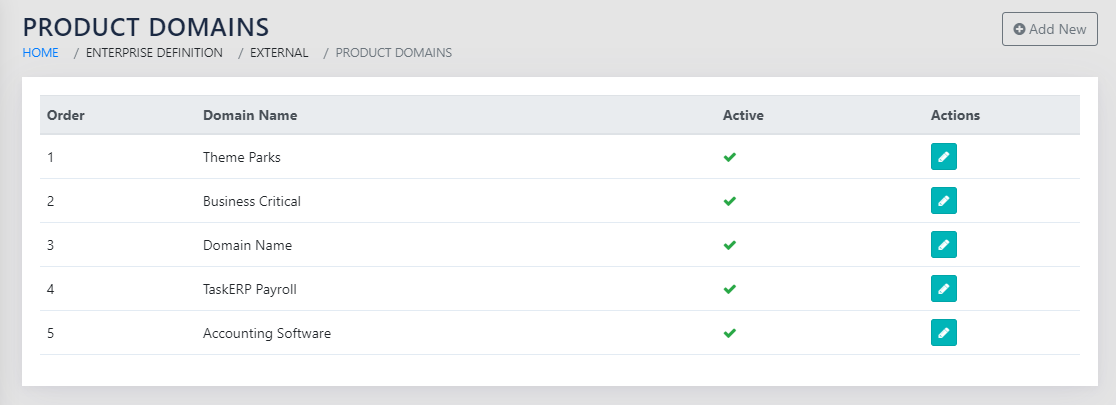
On navigating to the page shown in Figure 136: Product Domains, the user sees the list of all Product Domains that the BU operates in. They can click the icon or the Add New button to take them to the page shown in Figure 137: Add Product Domain Details.
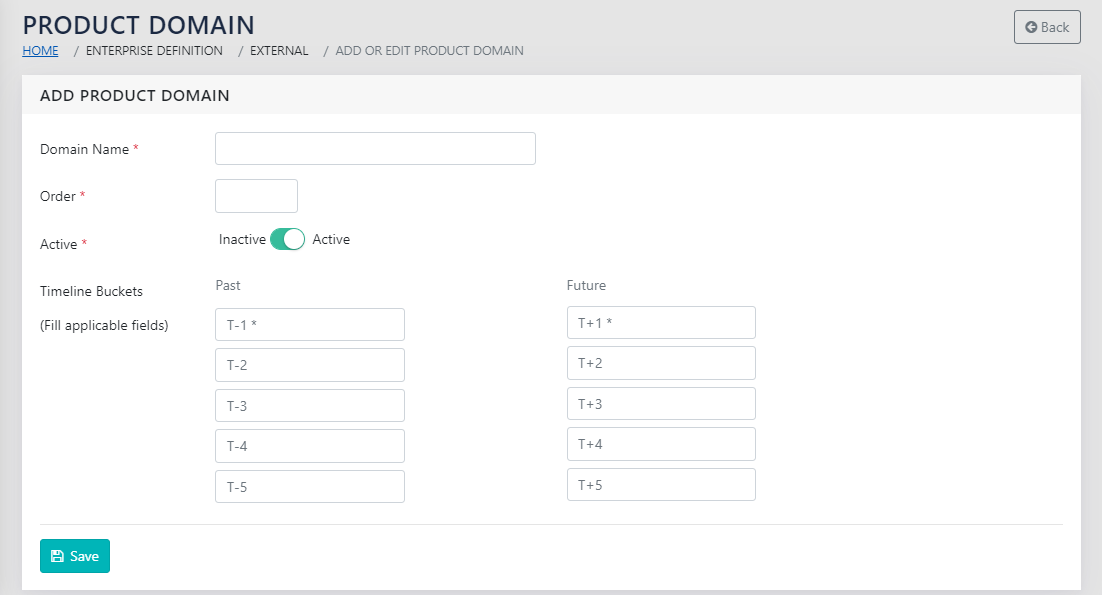
The page shown in Figure 137: Add Product Domain Details has the following details that need to be populated:
- The name of the Product Domain
- The order- that affects the sequence in which this is displayed
- Active – a checkbox to indicate whether the same is active or not
- Timeline buckets- There are five buckets each in the past and the future. These are typically related to the development horizon of the product. You should ideally be looking at 3 times the period a typical product generation lasts, or 3 times the development period of a typical product in the product domain.
PRODUCT KPI CATEGORIES
Navigation:
Enterprise Definition >> External >> Product KPI Categories
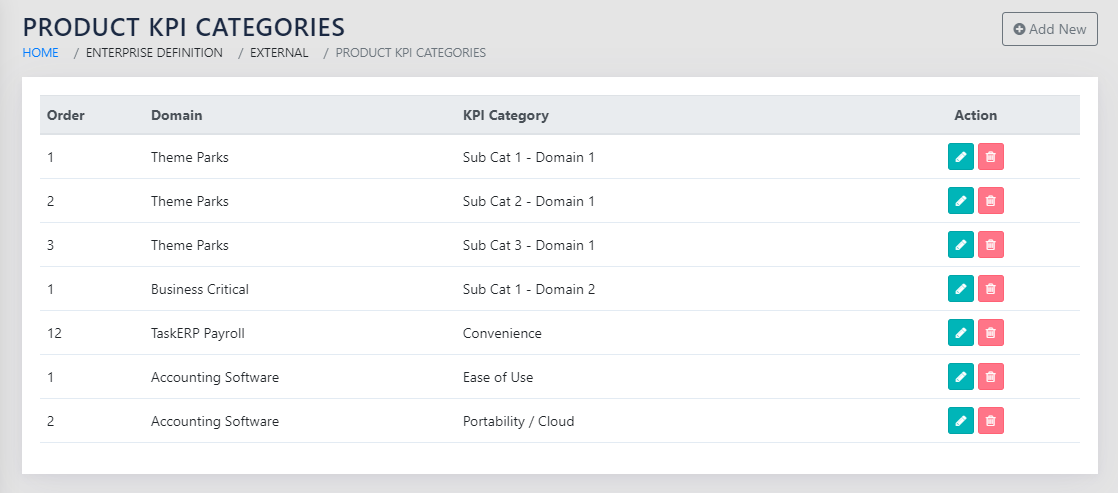
On navigating to the page shown in Figure 138: Product KPI Categories, a list of all categories for all KPIs for each product domain is displayed.
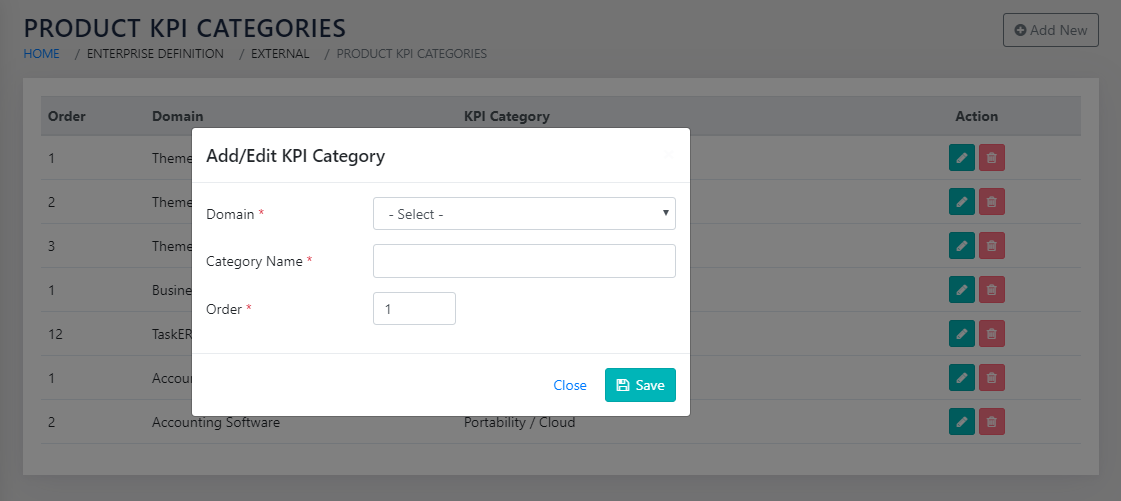
The user can click the icon or the Add New button to take them to the page shown Figure 139: Add Product KPI Categories for each Domain. The user is expected to select the product domain from the dropdown that is populated from the product domain master shown in Figure 136: Product Domains. The user is expected to type in the category name and select the sort order for display sequence of the categories.
PRODUCT KPI
Navigation:
Enterprise Definition >> External >> Product KPI
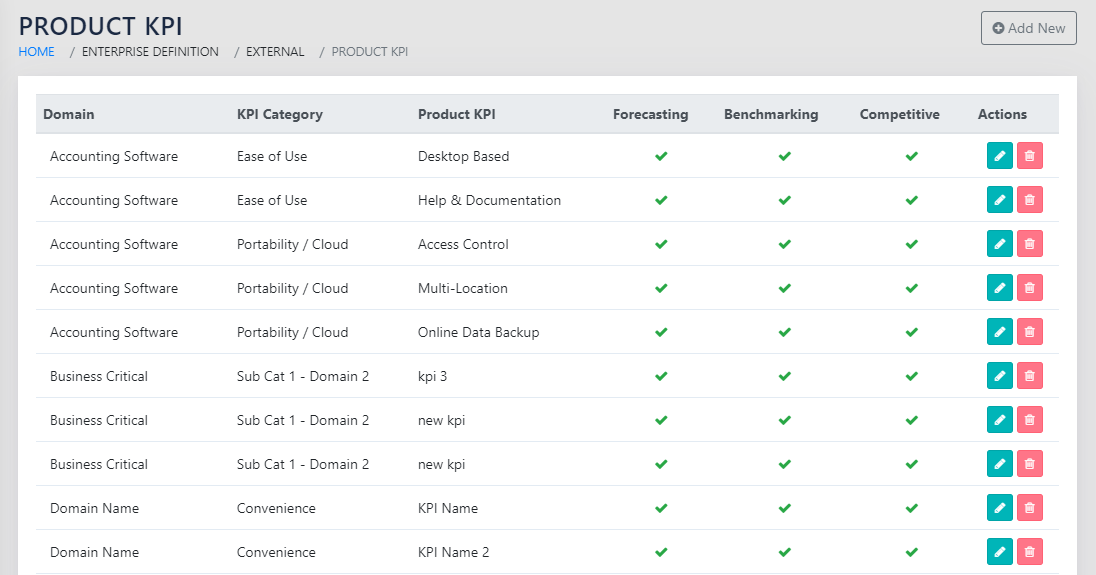
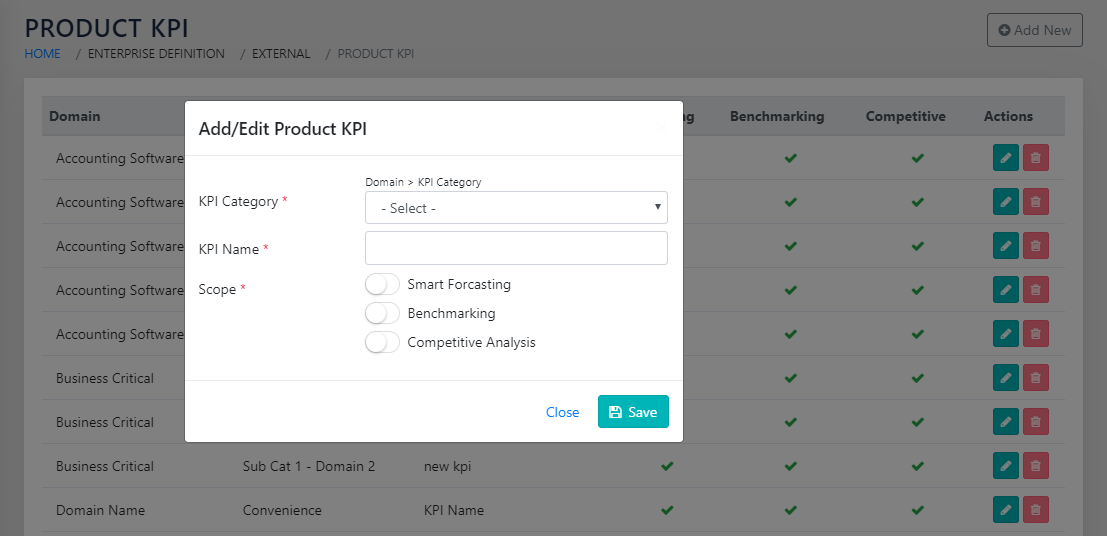
On navigating to the page shown in Figure 140: Product KPIs, by product domain and category, the user sees all product KPIs arranged by Domain and Product KPI Categories. The user can click the icon or the button to take them to the page shown in Figure 141: Add Product KPI and Category.
The user is expected to select the Product Doman > Category from the dropdown on the page and type in the KPI name. The user is expected to identify whether the KPI is a Forecasting KPI or a Benchmarking KPI, or both. This determines the KPIs that are available for capture in either module.
COMPETITORS
Navigation:
Enterprise Definition >> External >> Competitors
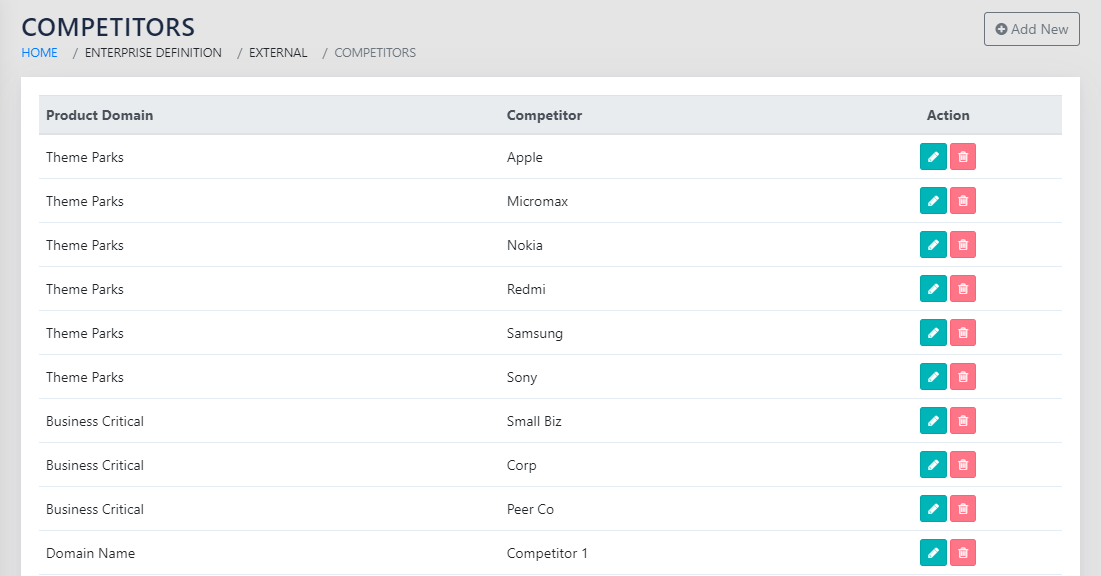
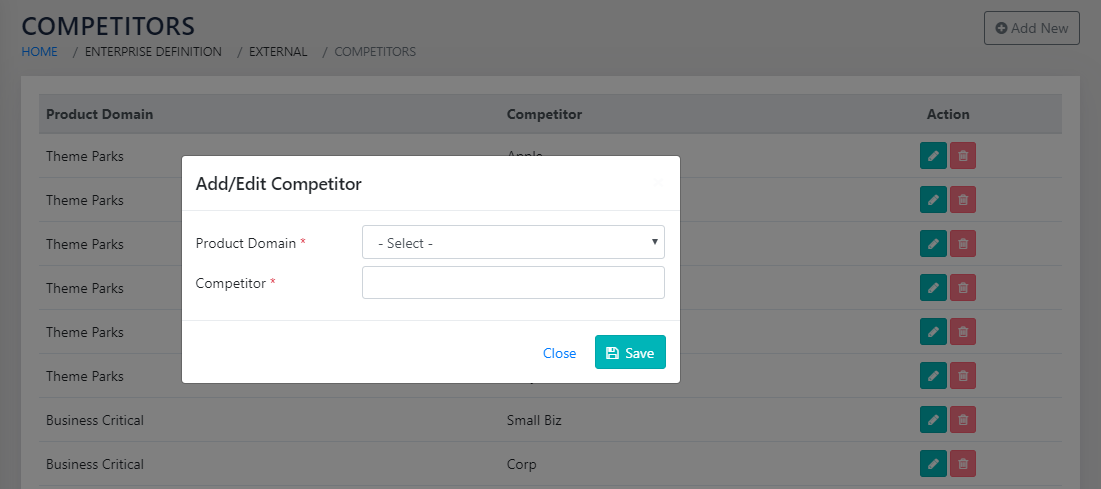
On navigating to the page shown in Figure 142: List of Competitors by Product Domains, the user is presented with the list of all competitors by product domains. The user can click the icon or the Add New button to take them to the page shown in Figure 143: Add Competitor by Domain
The user is expected to select the product domain and type in the name of the competitor.
CAPTURE
Navigation:
Data Capture >> Strategic Innovation >> Competitive Analysis
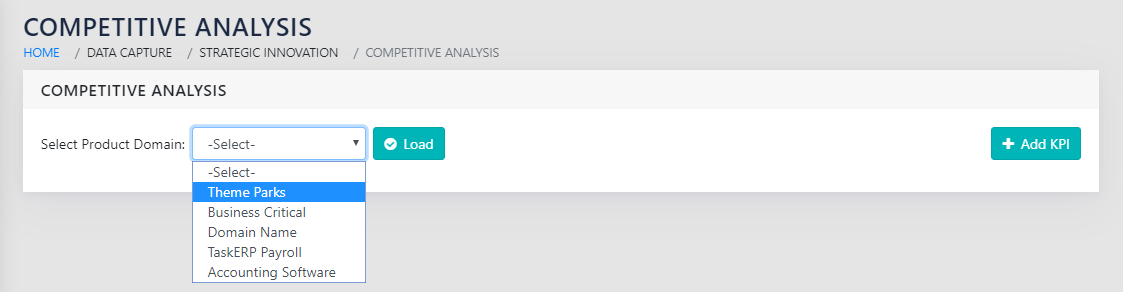
On navigating to the page shown in Figure 144: Select Product Domain for Competitive Analysis, the user selects the product doman from the dropdown and click on Load
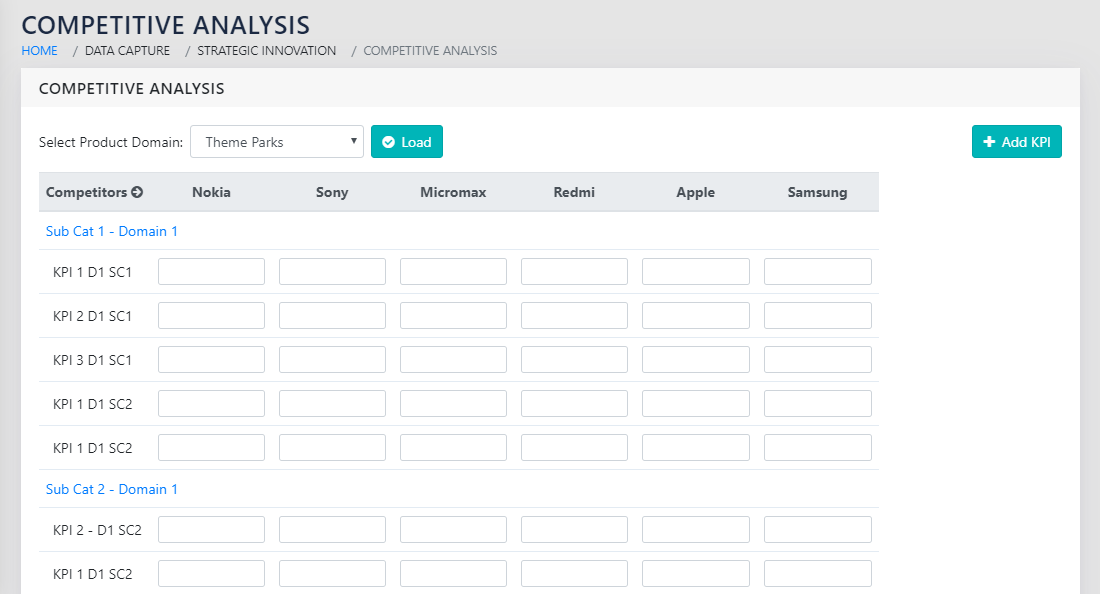
All the product KPIs that have been selected for competitive analysis are shown here. The column names are all the competitors for a given product domain.
This is shown in Figure 145: Perform Competitive analysis
ROLLS UP TO
Product Specifications