PURPOSE
Employee objectives Module in the applications is designed to link the Business KPIs to the Objectives of each employee in the enterprise. The Employee objectives roll up the hierarchy for achievement of the targeted value of the Business KPI.
ENTERPRISE DEFINITION
The enterprise definition for Employee Objectives Module is the list of Business KPIs, The list of employees and the supervisor for each employee.
Refer sections
- Add Employees
- Business KPI
CAPTURE
Navigation:
Data Capture >> Productivity Improvement >> Employee Objectives
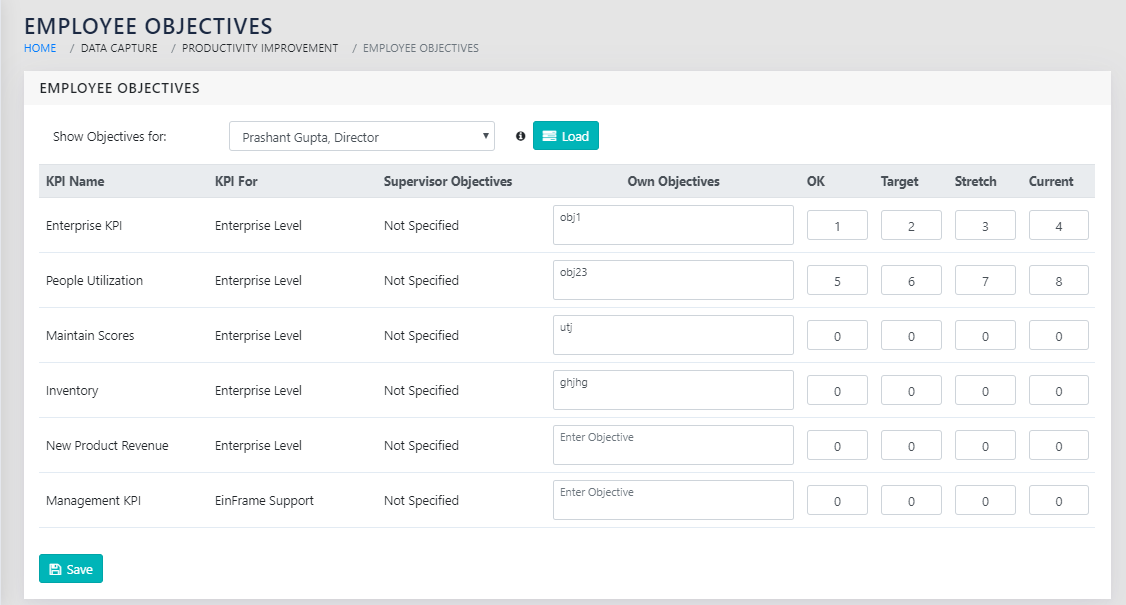
On the page shown in Figure 47: Employee Objectives Entry Form, there are 3 areas. The two columns to the left have all the enterprise KPIs and the Employee’s BU’s KPIs listed, along with the KPI level.
The Next Column Specifies the Employee’s supervisor’s objectives. The user should align his objectives to both the Business KPIs and the Supervisor’s objectives.
The next 5 columns pertain to the employee’s own objectives. These are:
- Own Objectives- Free Text- Description of the employee objective for the specific Business KPI and the Supervisor Objective.
- OK- Numeric- The acceptable value for the employee objective
- Target- Numeric- The target value for the employee objective
- Stretch- Numeric- The Stretched value for the employee objective
- Current-Numeric- The current value for the employee objective
Typically, the employee will update the current value periodically and the other values only once during a stipulated period.
REPORTS
Navigation:
Management Reports >> Employee Objectives
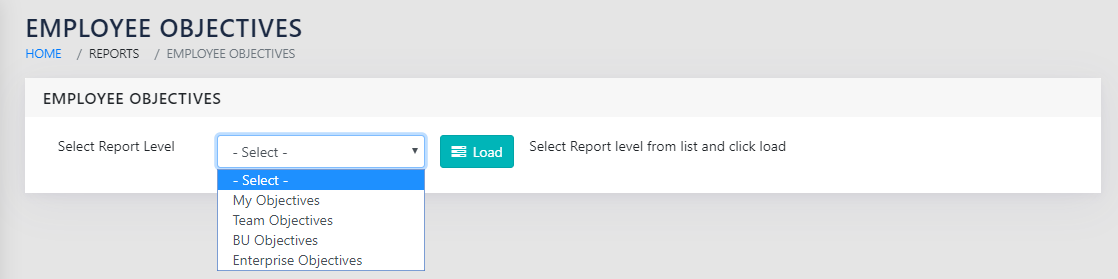
The user can select the report level at this page as shown in Figure 48: Select Report Level. This will select the top most node of the cascading tree of employee hierarchy.
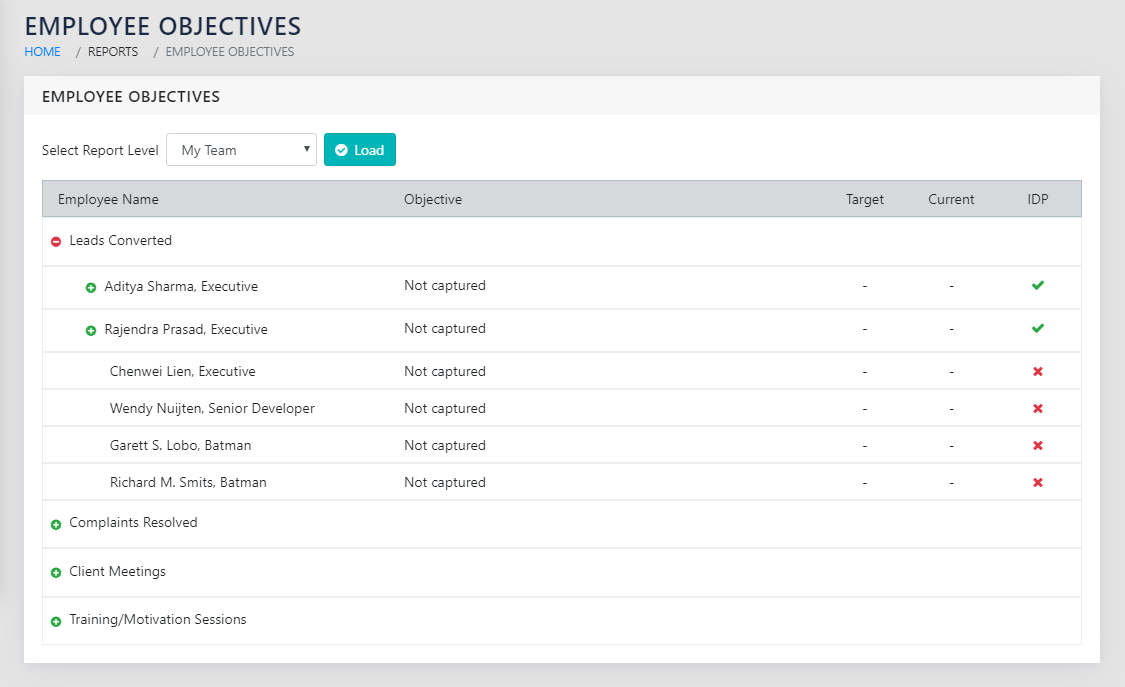
On clicking load, the report as shown in “Figure 49: Details of Employee Objectives as linked to and flowing down from the Business KPIs” is loaded. The left column of the report contains the business KPIs and the right column contains the employees at the highest selected level. The user can then click the icon to drill down in the levels of hierarchy. In the most expanded form, this report can indicate the Business KPIs linked to and flowing down to the lowest level of the employees through their respective supervisors recursively.
This report additionally indicates whether the individual employee has an updated Individual Development Plan (IDP).
SPECIAL FEATURES
This is a dynamic cascading list, to drill down into the entire organisation employee hierarchy.
ROLLS UP TO
Employee Objectives notionally roll up to the Balanced Score Card.
OTHER LINKS
Individual Development Plan