PURPOSE
One page business case for a new idea/project
ENTERPRISE DEFINITION
Concept qualification is a standalone tool, with no framework requirements.
CAPTURE
Navigation:
Data Capture >> Innovative Development >> Concept Qualification
On navigating to the page shown on Figure 109: List of Concepts, the user sees all concepts that they have entered.
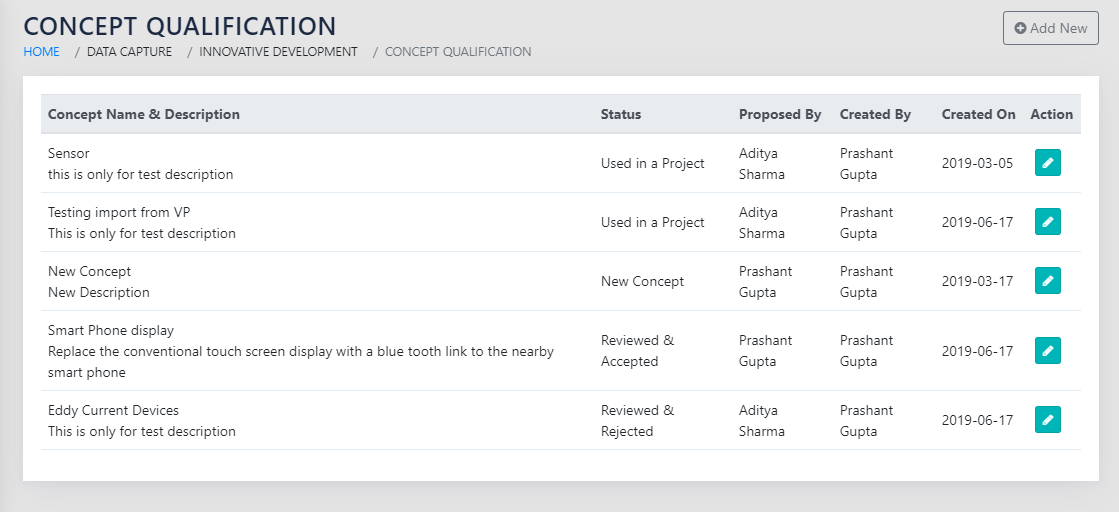
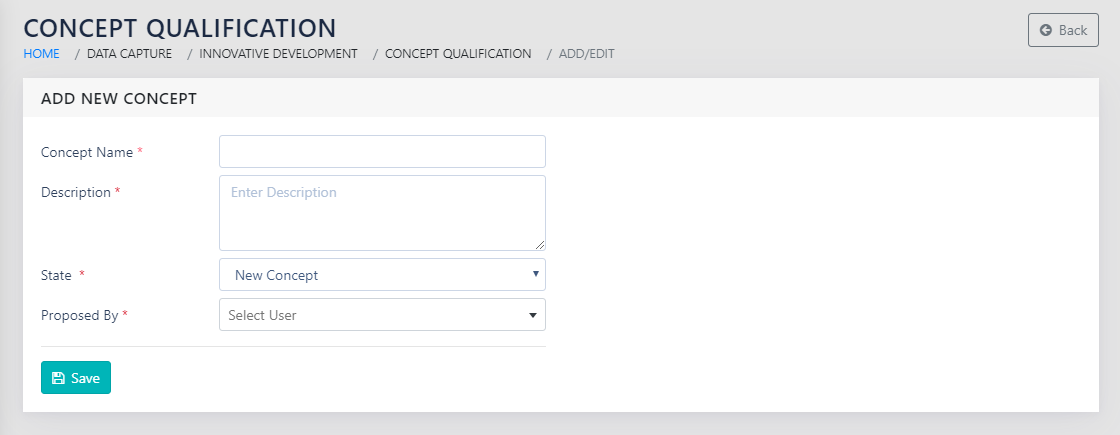
On clicking on Add New or the icon to add or edit a concept, the user is taken to a page shown in Figure 110: Add a new Concept. The user needs to add the concept name, concept description and their or the proposer’s name.
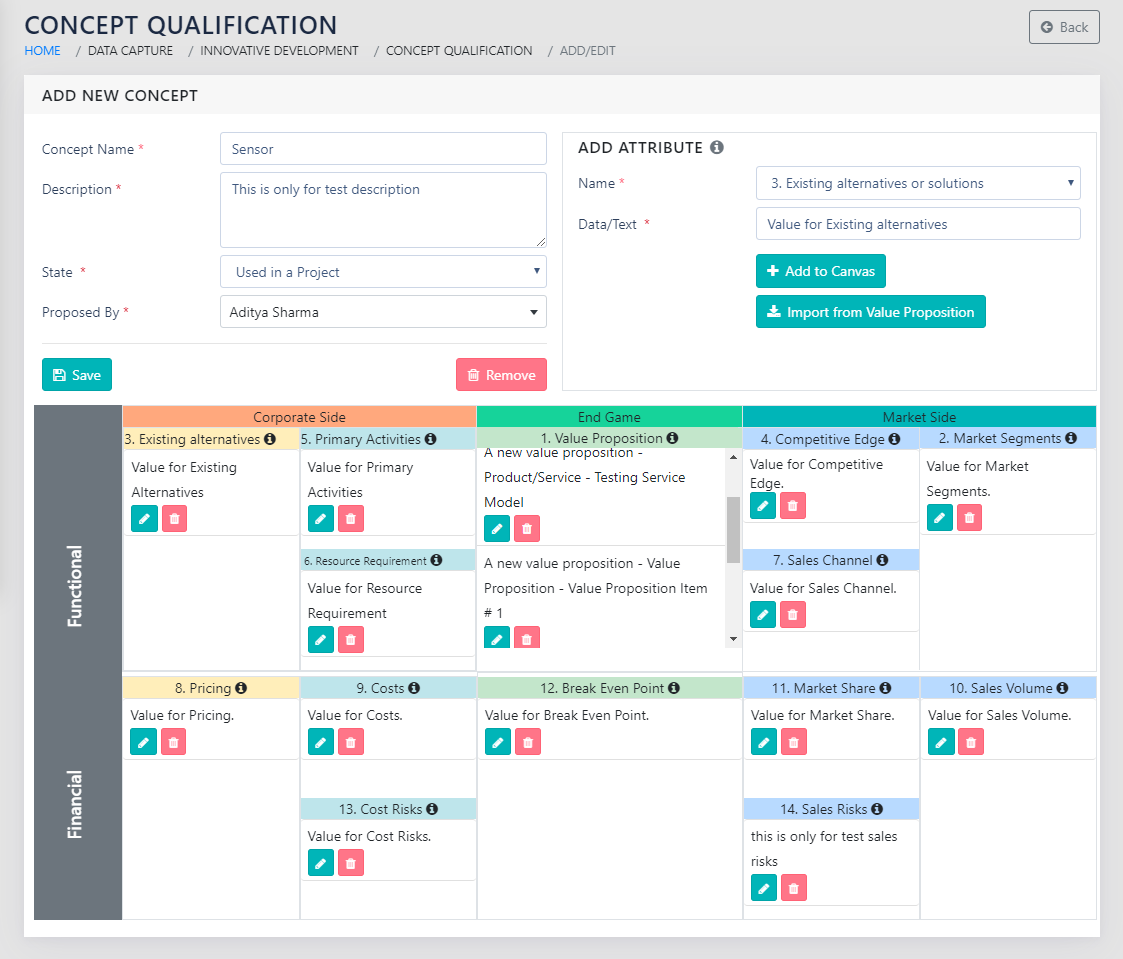
On clicking Save the user is shown the rest of the page as shown in Figure 111: Add Attributes to the Concept. The user adds various attributes to the concept using the dropdown and enters their respective test or data.
The visual updates in real time as soon as the user clicks Add to Canvas. The user can edit and remove the entered data for the attribute using the icons in the visual.
REPORTS
Navigation:
Management Reports >> Concept Qualification
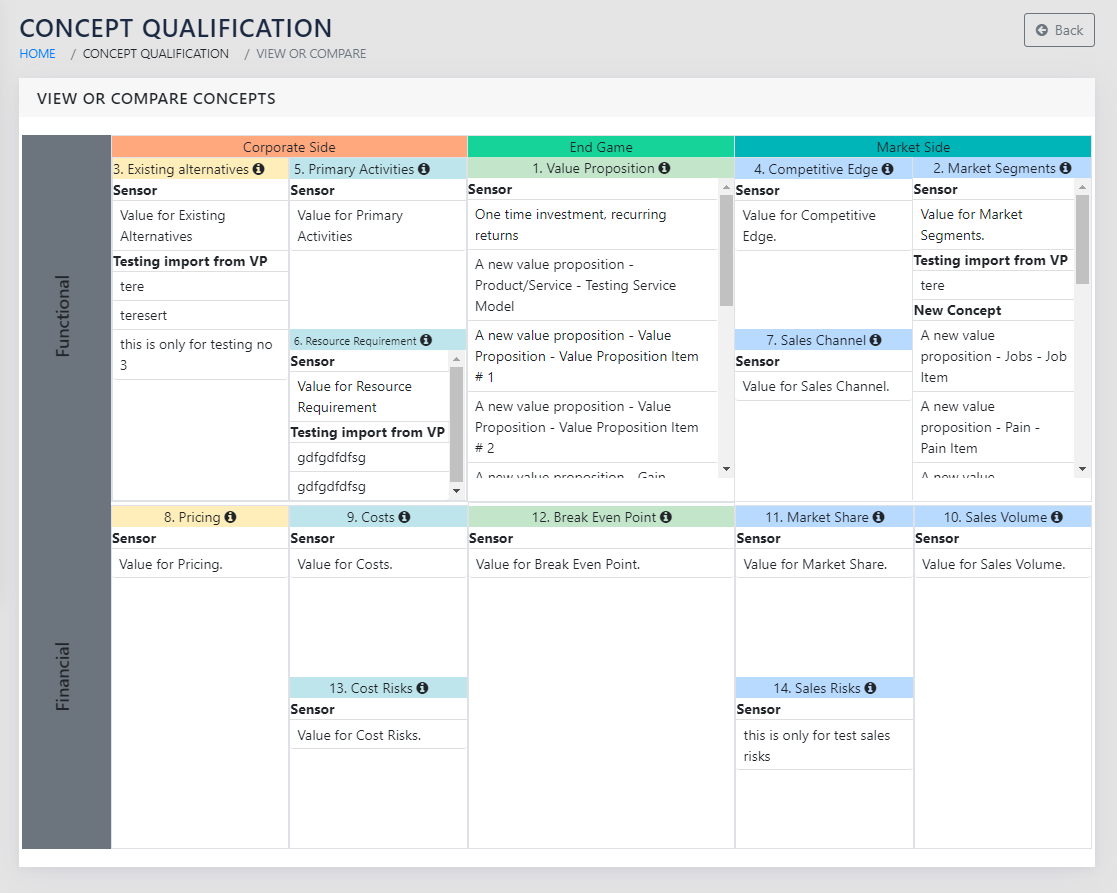
On navigating to this page, the user is shown the list of concepts to view or compare, with a checkbox next to each one of them. If the user selects one concept to view, they are taken to a screen that shows the concept in a way similar to the bottom half of Figure 111: Add Attributes to the Concept. The admins can see all concepts and the BU heads and Deputy heads see the concepts proposed by their BU’s employees.
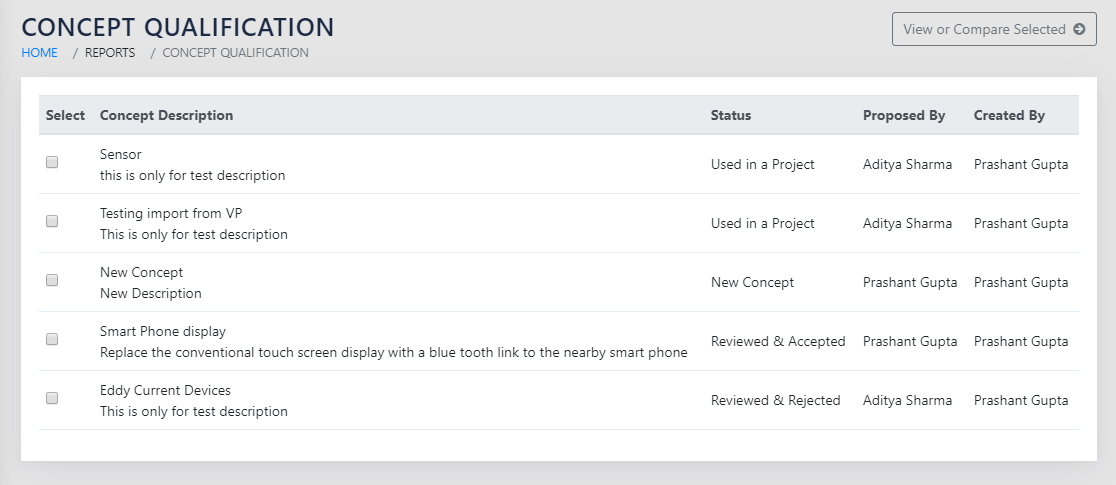
If the user selects up to 3 concepts to compare, they are shown a report shown in Figure 113: Concept , with the values of the attributes one below the other, separated by the names of the concepts.
If more than 3 concepts are selected for comparison, the application shows an error and does not let the user proceed.
OTHER LINKS
Projects