COMMUNICATION CADENCE
PURPOSE
The Purpose of Communication Cadence module is to manage Intra-enterprise communication on a regular cadence.
Enterprise Definition
Communication Cadence requires an updated employee database.
CAPTURE
Navigation:
Data Capture >> Productivity Improvement >> Communication Cadence
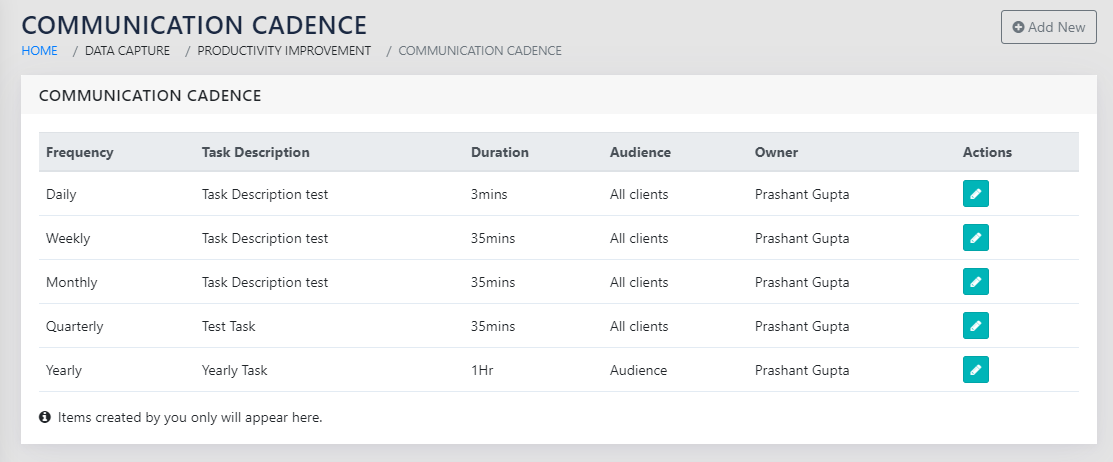
On navigating to the page shown in Figure 94: List of Communication Events with Cadence, you see all events and their cadence in a table. You can either click on icon to edit or the Add New to add a new event.
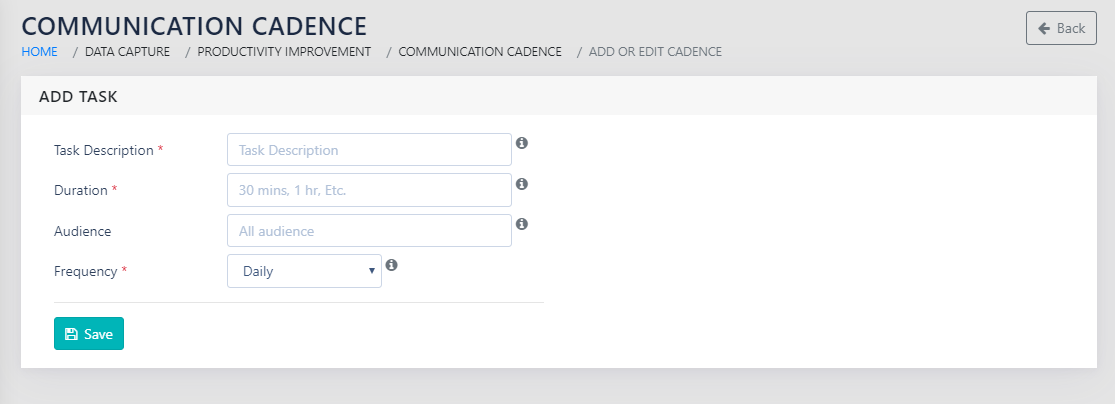
The user lands on a page shown in Figure 95: Add Communication event with its Cadence. They need to enter the following details
- Task Description- Free text
- Duration- Free Text- The details on how long the communication event is expected to last.
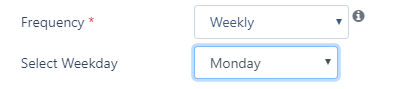
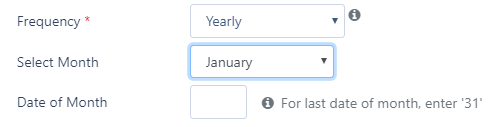
- Frequency: Dropdown with options- For each of the cadence frequency options, the user sees options to specify exactly when the event takes place.
- Daily- as shown in Figure 96: Cadence - Daily
- Weekly- as shown in Figure 97: Cadence - Weekly
- Monthly- as shown in Figure 98: Cadence - Monthly
- Quarterly- as shown in Figure 99: Cadence - Quarterly
- Yearly- as shown in Figure 100: Cadence – Yearly



REPORTS
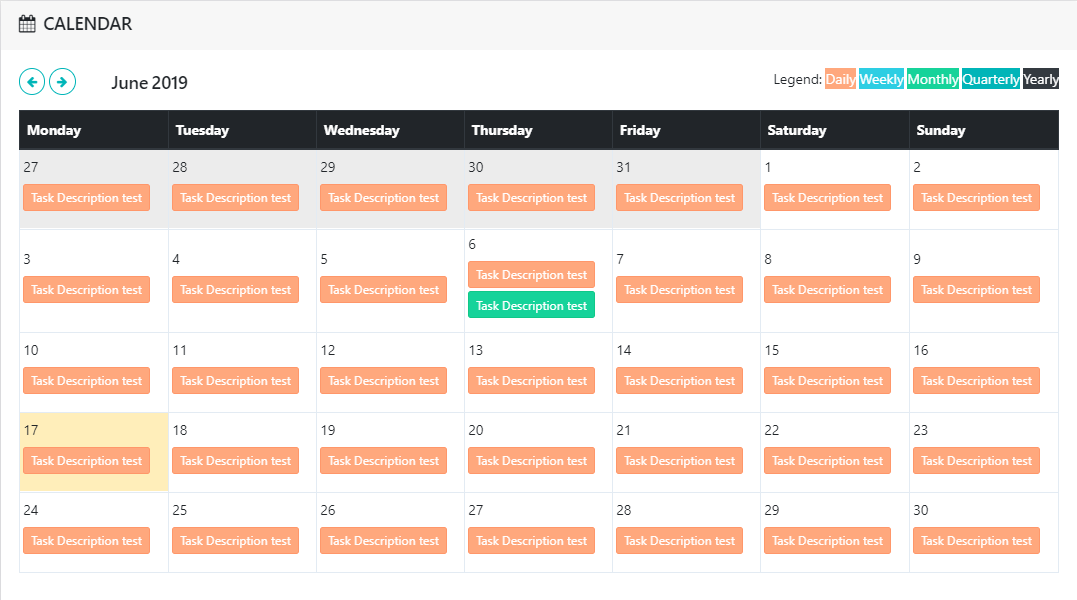
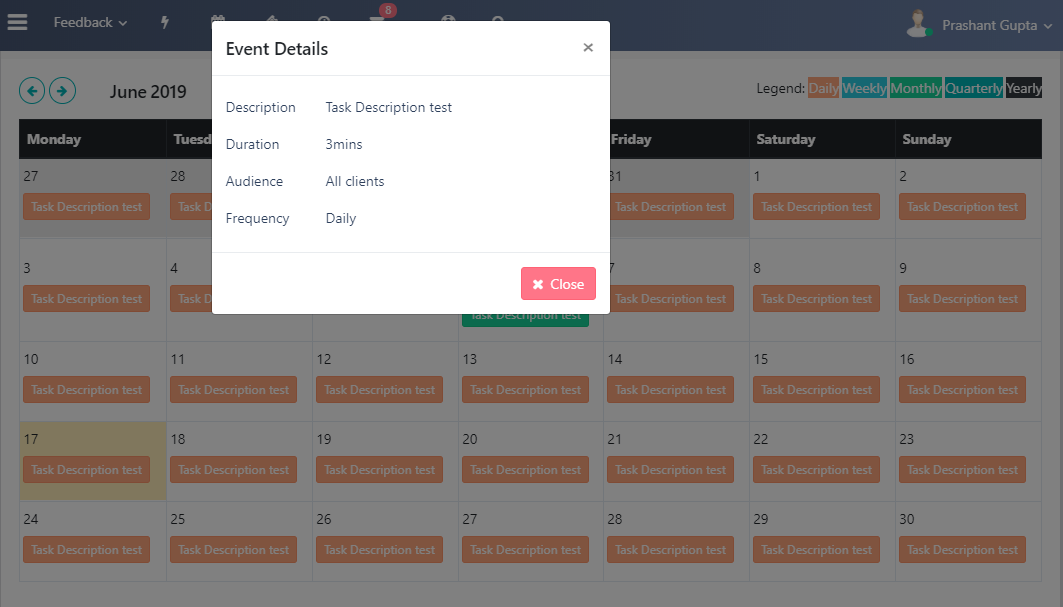
The communication cadence report can be accessed via the icon on the top navigation bar, as shown in Figure 101: Communication Cadence Report. The user can hover for the full name of the event, and click for all captured details as shown in Figure 102: Communication Cadence Details on Clicking.
SPECIAL FEATURES
The user is alerted by email before each communication cadence event. The duration between the email and the actual event date depends upon the frequency of the event and is
- For daily- No alerts
- For weekly- a day before the event
- For Monthly- Five days before the event
- For Quarterly- fifteen days before the event
- For Yearly- thirty days before the event
