PURPOSE
Risk Management Module facilitates identification, quantification and prioritization of Risks to enterprise, Business Units and individual projects. This also enables creation of mitigation and contingency plans for the same.
ENTERPRISE DEFINITION
Risk Management requires a list of Business Units, added using Add Business Unit and the List of Projects
CAPTURE
Navigation:
Data Capture >> Innovative Development >> Risk Management
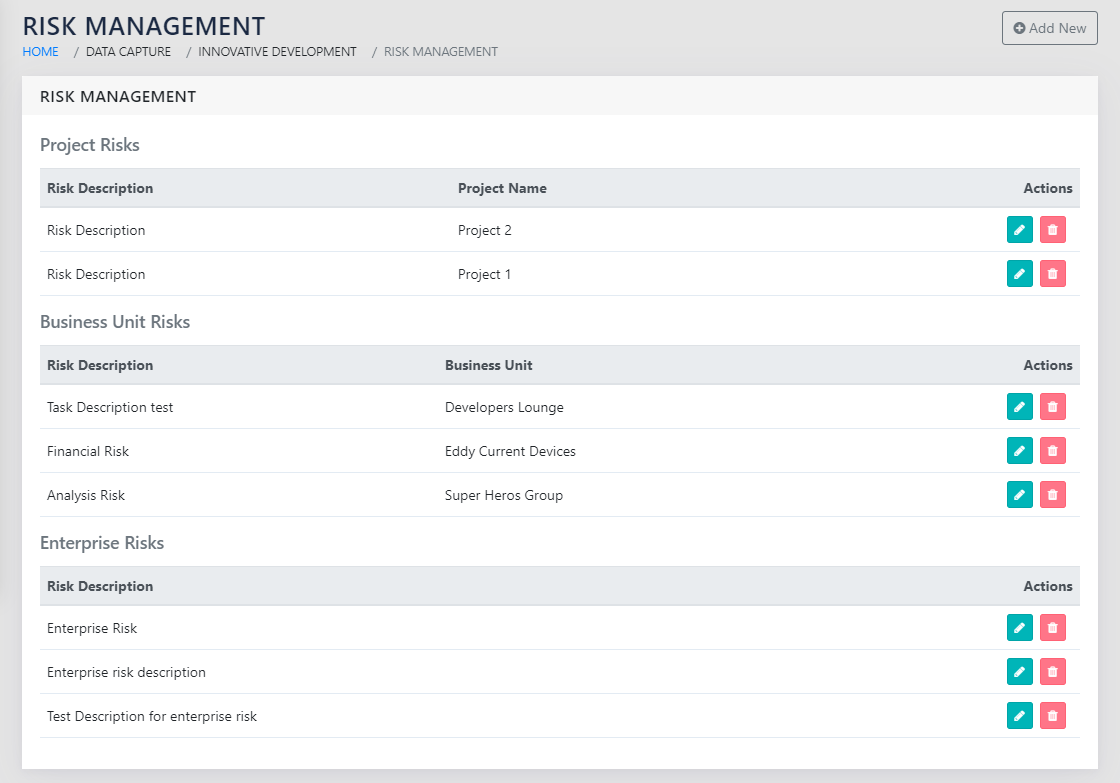
On navigating to the page shown in Figure 91: List of Risks that the user has created, all the risks that the user has entered are visible.
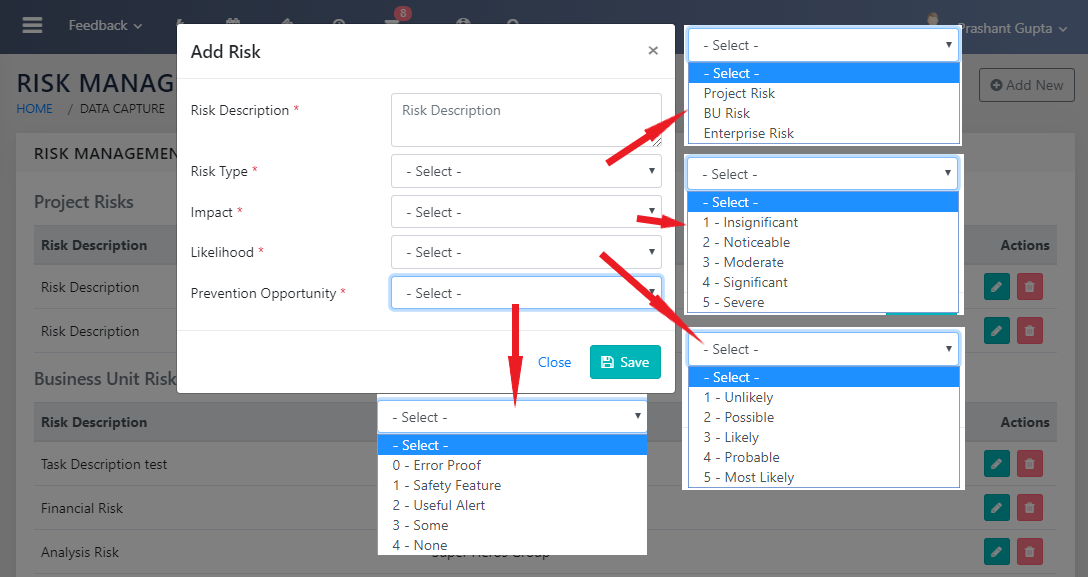
On clicking Add New , a screen similar to Figure 92: Add a Risk and quantify it appears. The risk can either be an Enterprise risk, A BU risk or a project risk.
If the Risk is a Project Risk, the name of the project needs to be selected from the dropdown. This dropdown is populated from the values in the Project Master.
REPORTS
Navigation:
Management Reports >> Risk Anilysis
On navigating to the page visible in Figure 93: Risk Report with Hotspots, a list of risks categorised among Project Risks, Business Unit Risks and Enterprise Risks is seen.
Note that Risks of only those Projects are displayed where you are Project Manager or where you are Head or Deputy Head of the Project Business Unit.
Also Note that Risks of only those business units are displayed where you are Head or Deputy Head.
The Enterprise risks are visible to BU Heads and Deputy Heads in addition to the application administrators.
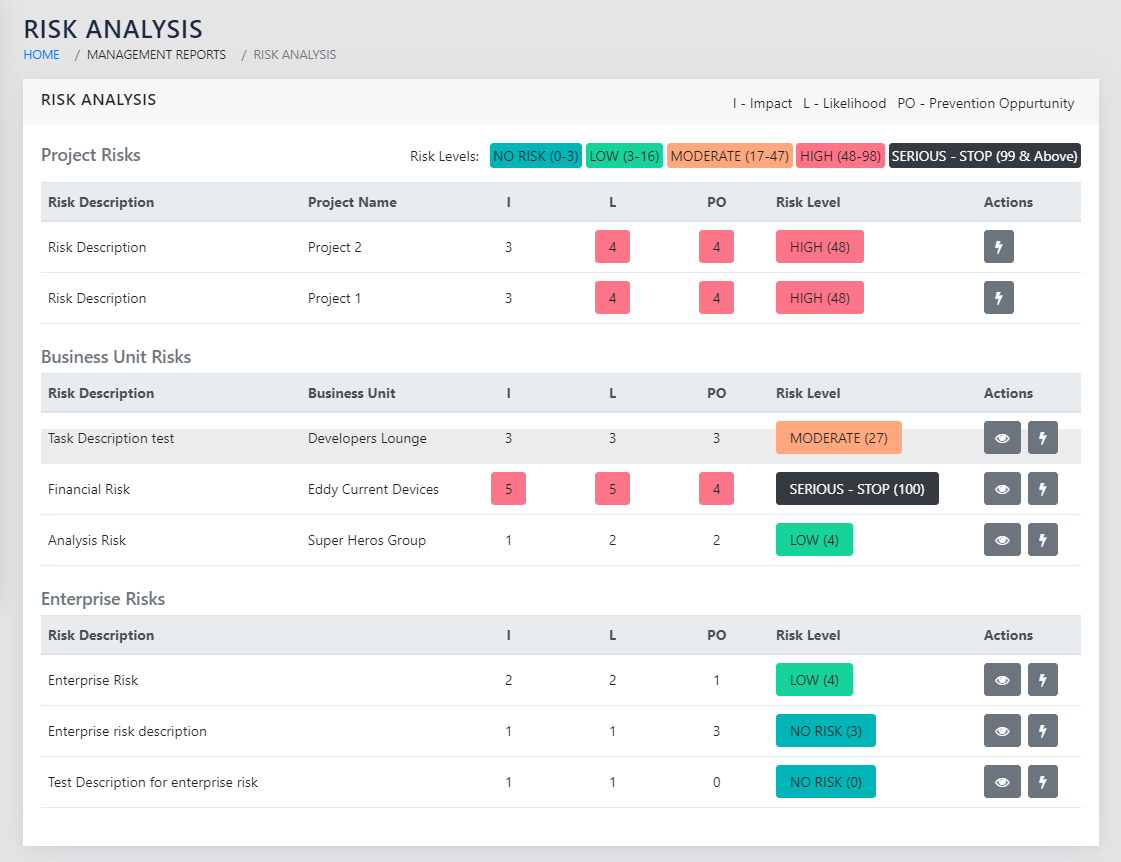
The risks are highlighted with hotspots. Where Impact, Likelihood or Prevention Opportunity is greater than 4, The score is highlighted in RED.
The RPN is calculated as a product of Impact, Likelihood or Prevention Opportunity scores and is reported as:
| 0-3 | NO RISK. No action required. |
| 4-17 | LOW - Be aware and keep improving |
| 18-48 | MODERATE - Have an approved risk mitigation plan |
| 48-99 | HIGH - Prioritize risk mitigation actions and demonstrate confidence in plan |
| 100 | SERIOUS - STOP Reduce risk before proceeding further |
The mitigation and contingency action plans can be added using the icon to add action items, and the icon to view the action items linked to the specific risk. Note that the icon will only appear if one or more action items exist for the specific risk.
The consolidated report of all action items, including the ones entered here, can be seen in Action Items Reports.
SPECIAL FEATURES
In addition to the Access rights defined using the Access Details module, the Enterprise and BU level risks will only be visible to BU Heads and Dy Heads.