PURPOSE
Succession planning is a useful tool to plan for the growth of an enterprise by effective role enhancement and backfilling gaps.
ENTERPRISE DEFINITION
Succession Planning requires an updated Employee Database (Add Employees), and the List of Skills in the Talent Framework (Talent Maps and Gaps-Enterprise Definition). This is also conceptually linked to the Individual Development Plan (Individual Development Plan) of the individual Employee.
CAPTURE
Navigation:
Data Capture >> Innovation Capital >> Succession Planning
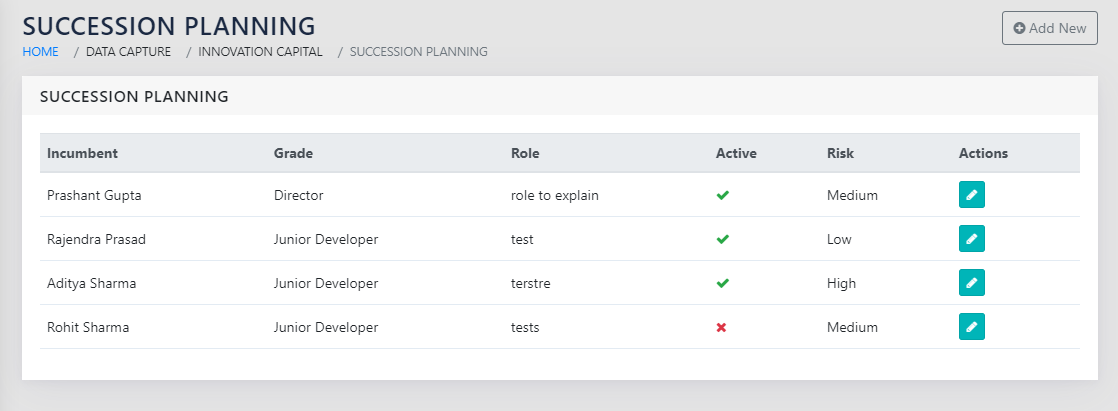
The page shown in Figure 86: List of Employees for whom a Succession Plan Exists. This table lists the parameters captured for each incumbent for whom a succession plan exists.
On clicking the icon or clicking Add New , you can edit or add a succession plan.
CAPTURING DETAILS FOR THE INCUMBENT
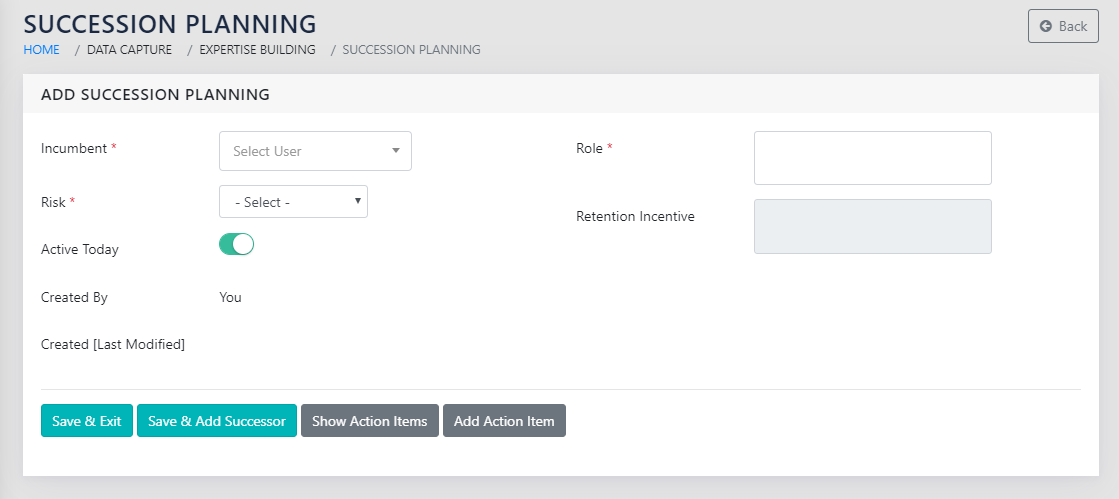
As shown in Figure 87: Add a Succession plan for an Incumbent, there are multiple fields that need to be added with respect to the employee for whom succession plan is to be prepared.
The following fields need to be added
- Incumbent- Name Search – Enter the name of the Incumbent
- Risk – Dropdown, options High/Medium/Low- Select the Level of risk to the organisation originating from the person’s exodus.
- Active today- Yes/No Checkbox- Specify whether the person is doing the specified role TODAY
- Grade- Automatic- This is automatically picked up from the employee database. See Add Employee Grades and Add Employees
- Role- Free Text- Mention in detail the role that the employee has in the organisation, for which a successor is sought.
- Retention Incentive- Free Text- Mention in detail the steps that need to be taken to retain the incumbent. Note: This field is only available for editing if the retention risk is high.
CAPTURING DETAILS FOR THE SUCCESSORS
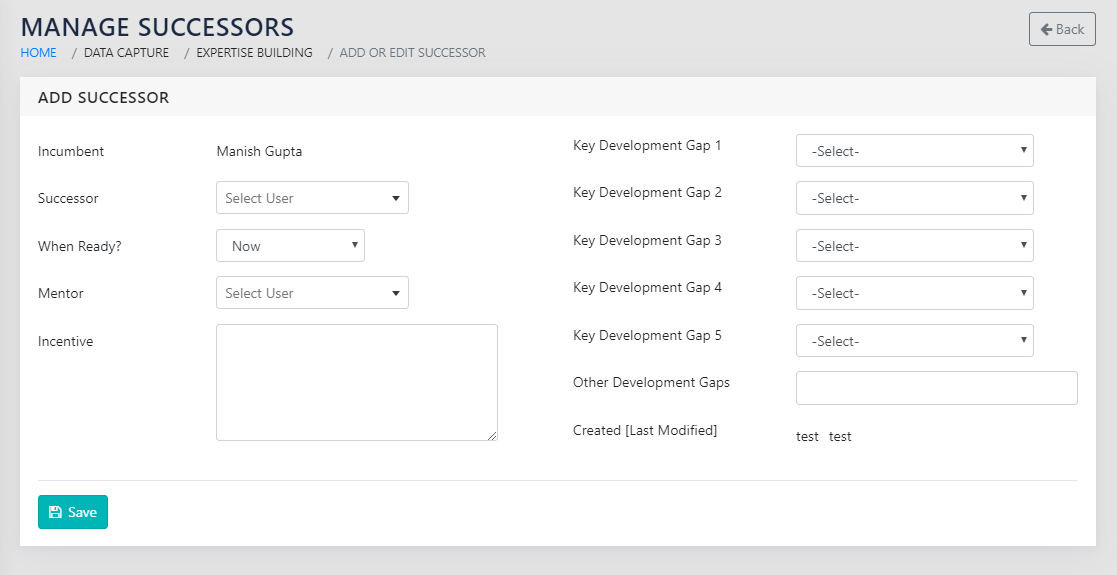
The details for a successor to a given incumbent, as shown in Figure 88: Add Successors for the Incumbent has a few important fields to update.
- Incumbent Name: pre-fetched by the application
- Successor- Name search- Mention the proposed successor
- When ready- Dropdown, options Now, 6 Months, 1 Year and 2 Years
- Mentor- Name search- an employee that is selected to be a mentor to the successor
- Incentive- Free Text – Mention the incentive that is to be given to the successor if they succeed.
- Key development Gaps (up to 5)- Dropdown – from the list of skills in the talent Framework.
- Other development Gaps- free text- If there are other development gaps other than those in the talent framework, mention those here, separated by commas.
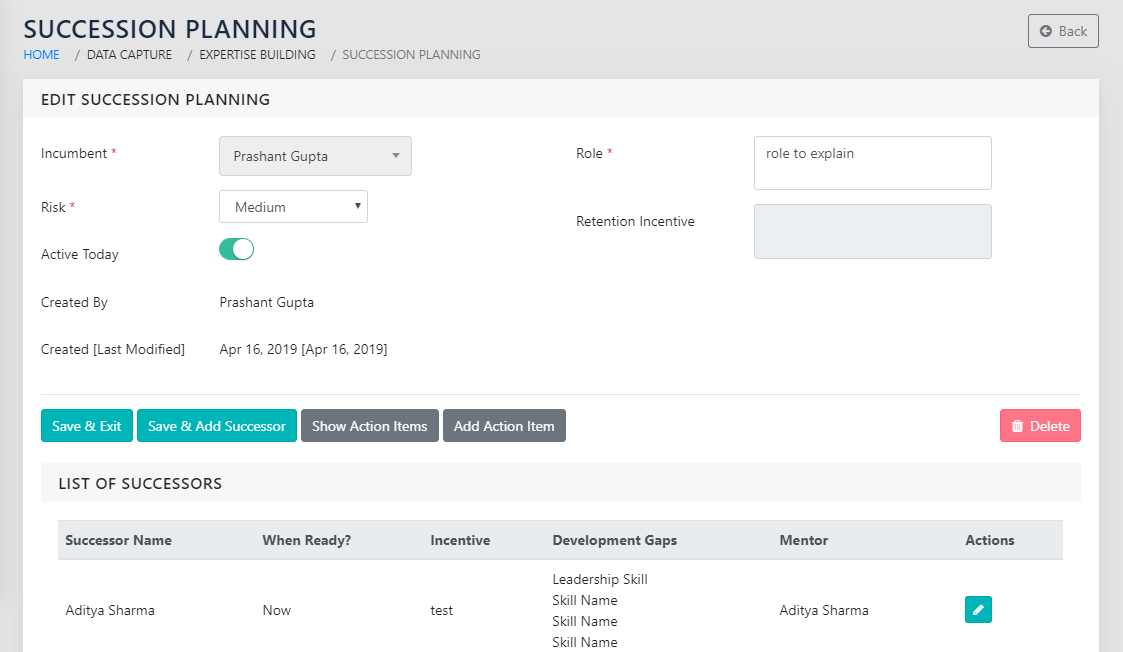
On clicking save on the page shown in Figure 88: Add Successors for the Incumbent Figure 87: Add a Succession plan for an Incumbent, you are returned to a page shown in Figure 89: Edit Existing Succession Plan
You can continue adding multiple successors to the same incumbent by clicking Save & Add Successor
REPORTS
Management Reports >> Succession Planning
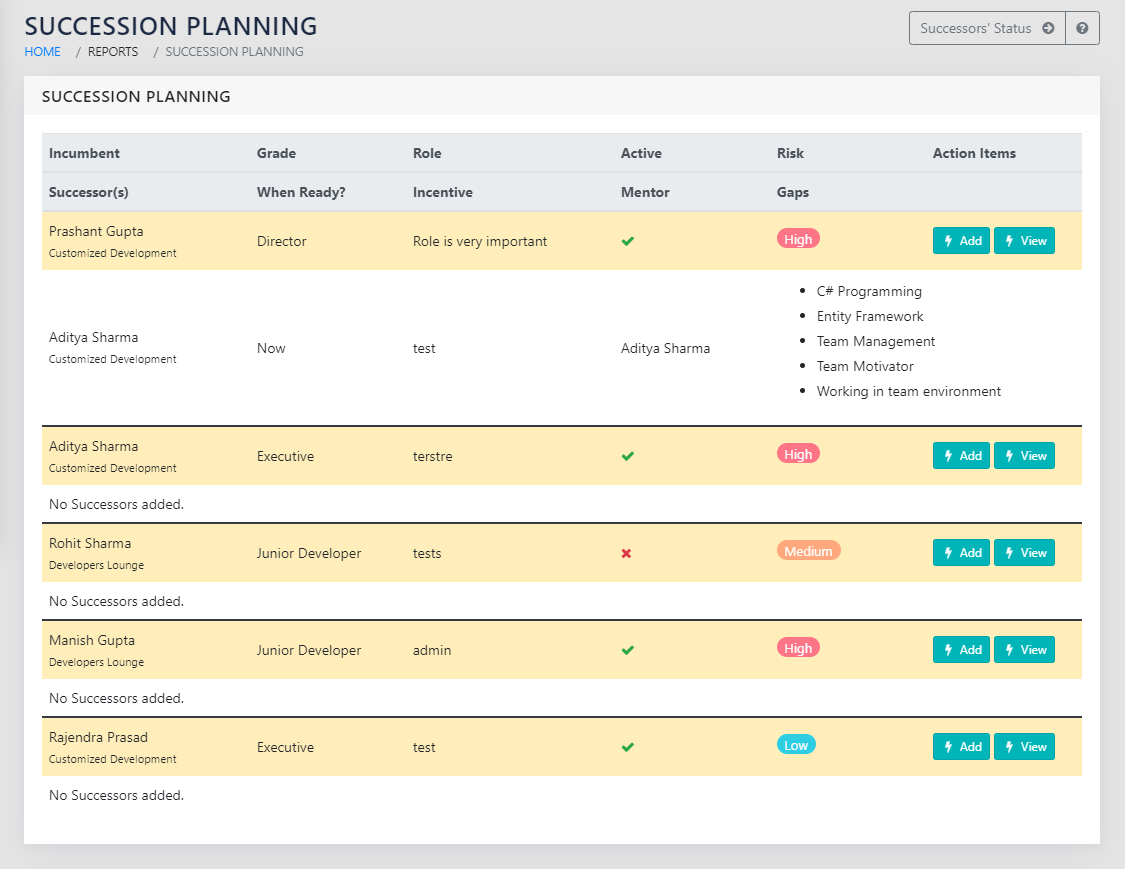
On navigating to the page shown in Figure 90: Succession Planning Report, you can see a hierarchical report of all incumbents and their successors along with the captured details.
On the right side of the page, you can choose to enter an action item related to the specific incumbent. This is enabled using the icon to add action items, and the icon to view the action items linked to the specific incumbent. Note that the icon will only appear if one or more action items exist for the specific entry.
The consolidated report of all action items, including the ones entered here, can be seen in Action Items Reports.
SPECIAL FEATURES
The Key development gaps of the successor are added to their respective IDPs under “Functional Trainings for the next job”.
OTHER LINKS
IDP